If you have Jewish ancestry and you have hit the point where the census records run out and the family stories start to contradict each other, JewishGen may be your next stop.
JewishGen is the largest free resource for Jewish genealogy in the world. As the genealogical research division of the Museum of Jewish Heritage in New York, it holds millions of records, including birth, marriage and death registrations; revision lists; census returns; burial records; Holocaust documentation; and translated memorial books from communities that no longer exist. Nearly all of it has been indexed by volunteers, and all of it is free to search.
That scale is also often the problem. Newcomers tend to type a surname into the first box they find, get either forty thousand results or none at all, and conclude the site does not have what they need. It usually does. It simply expects you to know a few things first.
This guide walks through those things. The site is going through a full redesign, which I led myself, so if you tried JewishGen a few years ago and bounced off it, what you find now will look and behave quite differently- and I will admit to some pride in that.
Your First Search
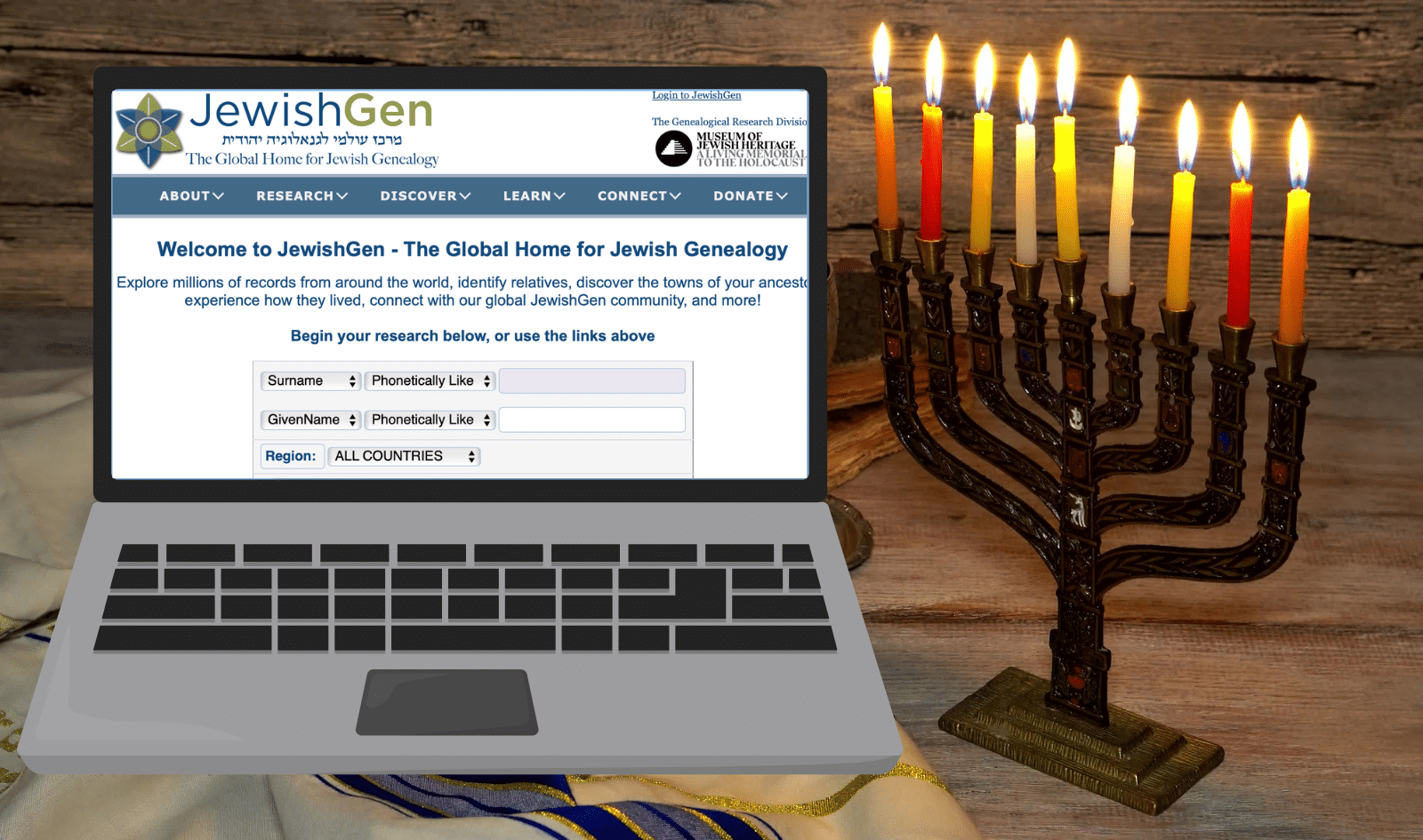
Start at the Global Search. This is JewishGen’s main search engine, and it queries every database on the site at once–every country, every record type, every collection.
The search form is built in rows, and each row has three parts:
- Data Type: What kind of information you are supplying. Your choices are Surname, Given Name, Town, or Any Field.
- Search Type: How loosely you want the site to match it. This is the setting beginners overlook, and it matters more than anything else on the page.
- Search Term: The name or place itself.
You get two of these rows for free, and you can combine them: surname in the first, town in the second.
Choosing a search type
Jewish surnames were transliterated from Hebrew, Yiddish, Ladino, Judeo-Arabic and the other languages Jews carried across the diaspora, written down by clerks who were guessing (they wrote whatever they heard) in Russian, Polish, Hungarian, Romanian, French, Arabic or whatever the local administration used—and then transliterated again by clerks at the port of arrival who were also guessing. The spelling on your great-grandfather’s headstone may appear nowhere in the official records of the country he actually came from.
The Search Type menu exists to get around this:
- Phonetically Like is the default, and it is the right starting point for almost everyone. It uses a matching system built specifically for Jewish names, and it will find spellings you would never have thought to try.
- Sounds Like uses a more general sound-matching system. Worth trying as a second pass.
- Starts With matches anything beginning with what you typed. This is useful when you are confident about the first few letters and nothing else.
- Is Exactly does what it says- but it is more generous than it sounds, because it also folds in standard name and town variants. Search for Jankel and you will also get Jakob, Jacob and Jack.
- Fuzzy, Fuzzier and Fuzziest progressively loosen the matching. Reach for these when the more precise options have come up empty.
The practical advice: begin with Phonetically Like. If you get nothing, loosen. If you get too much, tighten or add a second row rather than making the first one stricter.
Search syntax worth memorizing
A handful of characters will do more for your results than any amount of clicking:
- A comma means “or.” Entering “Schwartz, Weiss” finds records containing either name.
- A space means “and.” Entering “Schwartz Weiss” requires both names in the same record. This is useful when you know a couple’s two surnames and want the marriage.
- An asterisk fills in a blank. Entering “Sp*l*ng” finds Spelling, Sperling, and everything in between. This is the single best tool for handwriting you cannot read.
- Square brackets force a starting letter. Entering “[F]isch” finds “Fish” but not “Visz”, when the phonetic matching is being too generous.
One more habit worth building early: add the town last. A geographic filter is powerful but blunt, because borders and place names changed constantly—and not just in Eastern Europe but across the world, where a single town might answer to several different names within one lifetime. Search the name first. Only add a place when the name alone returns more results than you can handle. If adding it makes expected results disappear, take it back out.
Reading Your Results
Results do not arrive as one enormous list. They are grouped by region, the way JewishGen results always have been, with each region appearing as a collapsible section showing how many records matched. Open the ones that fit your family’s geography and leave the rest closed.
This is more useful than it first appears. If your Weiss matches are clustering in Hungary and Sub-Carpathia rather than Ukraine, that clustering is a research lead in itself—it tells you where to concentrate before you have read a single record.
Within a region, click through to see the actual records in a table. Records belonging to the same family group are visually bound together, so you can see parents and children as a unit rather than as unrelated rows. From there, individual records open into a fuller view with whatever additional detail exists- witnesses, archival references, source citations.
One thing to do at this stage that beginners routinely skip: Click the collection title. That takes you to a page describing where the data came from, what years it covers, and how to request the original document, which almost always holds more than the index entry does. The index tells you a record exists; the original tells you what it says.
Browsing Instead of Searching
Searching assumes you know a name. Sometimes you would rather see what exists.
The Databases catalog lists JewishGen’s collections and lets you work through them by filters: geography, record type, town, and date range. You can restrict the view to New or Recently Updated collections, and sort by name, by most recently updated, or by the earliest or latest records covered.
Every collection shows its record count, original language, and when it was last updated. There are two uses for this. If your research is stalled, sorting by most recently updated shows you what has landed since you last looked—these collections grow constantly. And if you are new to a region, browsing what exists for it is the fastest way to learn what kinds of records survived there at all.
Five Collections and Tools Worth Knowing
JOWBR: The JewishGen Online Worldwide Burial Registry has burial records from Jewish cemeteries worldwide and entries frequently include the Hebrew name, the father’s name, plot location, and a photograph of the headstone. A Hebrew name gives you a patronymic, and a patronymic gives you a generation you did not have. Cemetery pages describe the burial ground itself, its condition, and who documented it.
Yizkor Books: Memorial books written after the Holocaust by survivors of destroyed communities, and translated into English by JewishGen. These are not indexes; they are prose, including descriptions of the market square, the rabbi, the schools, the families, and the destruction. If your ancestral town has one, read it, even if your surname never appears. It is the closest thing to an eyewitness description of the place your family actually lived.
JewishGen Family Finder (JGFF): a register of who is researching which surnames in which towns. Free to search and free to join. Adding your own surnames and towns is the highest-return ten minutes on the site, because it makes you findable by the cousin doing the same research from the other direction.
JewishGen Holocaust Database: Survivor and victim records drawn from many separate sources: camp lists, transport records, postwar registries, memorial submissions. The right starting point for researching a survivor or a victim.
Communities Database: Search for the town rather than the person. A single town might have been in the Russian Empire, then interwar Poland, then the Soviet Union, under a different name each time. This database tracks those changes across the twentieth century, with historical district and province names, population figures, and coordinates. It also points you outward-linking to related resources and outside sources, and telling you whether the community has a Yizkor book of its own. When you cannot find records for a town, the usual reason is that you are looking under the wrong country.
One more piece of the site worth knowing by name: JewishGen’s Research Divisions, the regional and topical groups that build and maintain these collections. Longtime users will remember them as SIGs. The active divisions are Austria-Czech, Belarus, Bessarabia, France, Germany, Holocaust, Hungary, Latvia, Romania, Sephardic, Sub-Carpathia, Ukraine and USA. Each maintains its own resources, guidance and volunteer community. Find the one that matches your family’s region early; it is where the region-specific expertise lives.
When You Get Stuck
Two guides cover the ground in more depth: the Search Guide, which expands on matching and syntax, and How to JewishGen, a broader orientation to research strategy.
There is also Words to Know, a lexicon of genealogical and Jewish historical terminology organized by category. Records and finding aids are thick with terms most newcomers have never met- guberniya, landsmanshaft, revision list, uyezd- and a term you cannot define is a record you cannot fully read. It is worth a browse before you start rather than after you are confused.
And there is an extensive FAQ, organized by the questions people actually ask.
All of these can be found in the How to JewishGen & FAQ page linked from the Learn & Connect tab, or from the tips dropdown on any search box.
Two specific problems come up so often they deserve naming:
You found a record you cannot read. It is in Russian, or Polish, or Hebrew, and you have no idea what it says. Post the image to ViewMate, where volunteers translate documents free of charge. For handwritten material, it gives you the communal and historical context that AI tools lack in their current state.
You found a Hebrew date. Jewish vital records, marriage contracts and gravestones all use the Hebrew calendar. JewishGen’s Hebrew–Gregorian date converter handles the conversion for you, and as part of the relaunch it now sits directly on the JOWBR burial pages, where you are most likely to need it. The standalone version remains available too.
What the Redesign Changed
The records and the search engine underneath are the same ones JewishGen has been building for decades; what changed is everything around them.
Pages now work properly on a phone or tablet, which matters if you research in an archive or a cemetery rather than at a desk. Result tables keep their column headings in view as you scroll, and text sizes were deliberately not reduced to fit more on screen. There is a site-wide dark mode for anyone who reads at night or finds bright screens tiring.
Registered members also have a profile area that gathers saved searches, JGFF entries, and ViewMate in one place.
Finally, JewishGen Talks is worth putting in your calendar: a program of online lectures and webinars on Jewish genealogical research, free to attend. You can watch replays on our JewishGen Talks page, or sign up for upcoming talks via the Calendar.
And there’s more to come! Filters, more targeted searches, and other tools will become available over the next year, as the redesign enters its second phase.
Supporting the Work
JewishGen’s core search has always been free and will stay that way. The site runs on donations, and its traditional symbolic minimum is $18–chai, the Hebrew word for life, whose letters carry the numeric value eighteen.
Contributors of $100 or more receive Value-Added Services for twelve months. Two features stand out for active researchers. The first is multi-field search: two additional search rows, letting you combine up to four criteria at once with Boolean AND/OR logic, so you can build genuinely targeted queries instead of sifting. The second is the JGFFAlert system, which watches the Family Finder continuously and emails you the moment a new entry matches one of yours- no periodic checking required.
Neither is necessary to do good work on JewishGen, but both save time once you are doing a lot of it, and help support everything that has made JewishGen possible for 40 years.
Related Reads