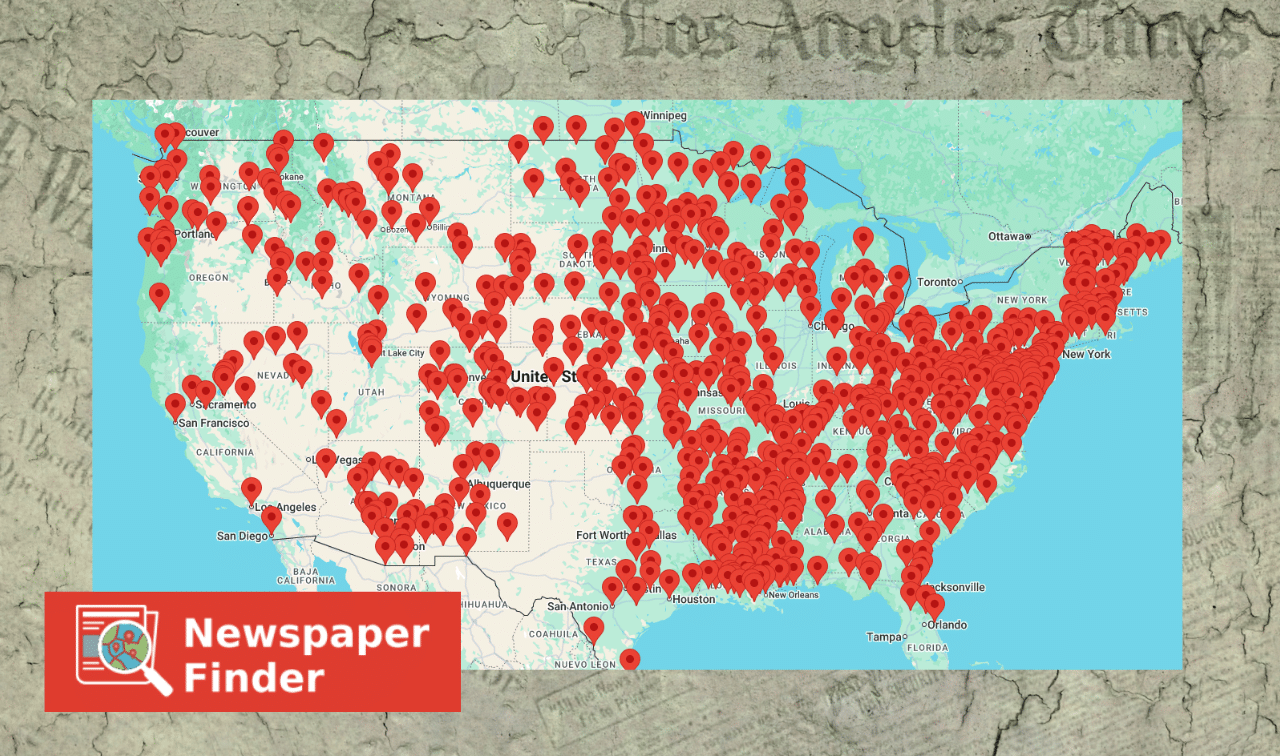
Newspapers.com, GenealogyBank, NewspaperArchive, OldNews, Chronicling America … the list of historical newspaper websites goes on and on and on. Thanks to them, genealogists have access to a once-unimaginable number of digitized newspapers—in fact, so many publications in so many places that it can be hard to know where to look.
Newspaper Finder, “A Database for Digitized Newspapers,” attempts to simplify your search for digitized titles. Through its one, singular catalog of online historical newspapers, you can see what publications are available from multiple websites at once.
Note: Newspaper Finder doesn’t host any newspapers itself. Rather, it serves as a convenient, easy-to-use, place-based index to newspapers held by other databases. These include some of the largest and most-useful for genealogists. As of this writing, Newspaper Finder crawls the collections of more than 30 websites, including:
- Advantage Archives, which provides hosting services for many state- and local-level institutions
- The British Newspaper Archive from Findmypast and the British Library
- Chronicling America from the Library of Congress
- Fulton History, a one-man operation that’s part of “Old Fulton New York Post Cards”
- GenealogyBank, a subsidiary of NewsBank
- Google News Archive, which is now read-only
- Newspapers.com, a subsidiary of Ancestry.com
- NewspaperArchive, a subsidiary of Storied
- OldNews, a subsidiary of MyHeritage
Think of Newspaper Finder as a newspaper version of WorldCat, which is a directory of library, museum and archive catalogs from around the world.
Here’s how to use the free, powerful Newspaper Finder.
Step 1: Select a Location and Time Period
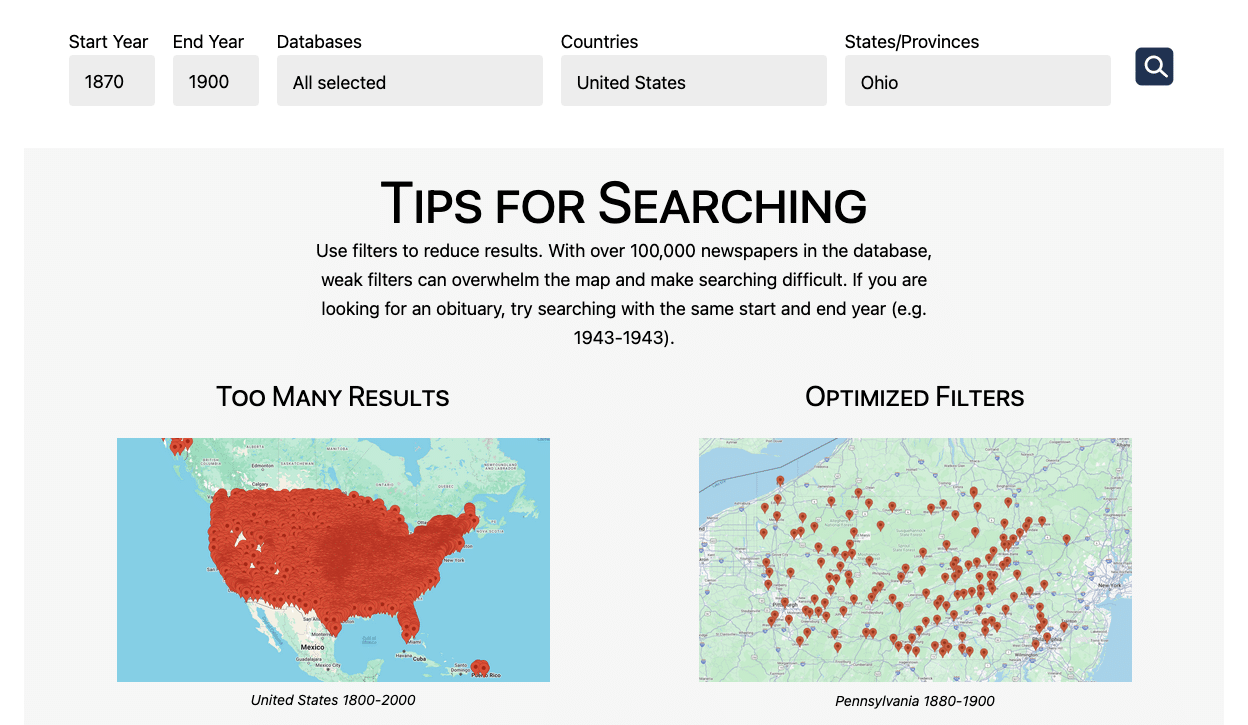
To make best use of the site, you’ll first need to know what place and time frame you want to research.
Once you do, click Search from the main menu. You’ll see just a few fields to select from:
- Start Year and End Year: What year(s) are you hoping to find your ancestor mentioned in a newspaper? You could enter the target person’s birth and death years, or the years a family was known to have lived in a specific place.
- Databases: Do you want to look for newspapers across the internet, or just a handful of collections? For example: only free collections, or free collections plus the one or two subscription websites you pay for.
- Countries and States/Provinces: These reflect where the newspaper was published. As of May 2026, the site is strongest for newspapers published in the United States, Australia, Canada, France, Germany and the United Kingdom.
You only have to enter Start Year, End Year and Country. But (as the site points out) you may want to include Databases or a more-specific place. After all, the database catalogs more than 100,000 newspaper titles—if your search terms are too broad, you’ll get an overwhelming number of results.
Step 2: Look at Geo-Tagged Results
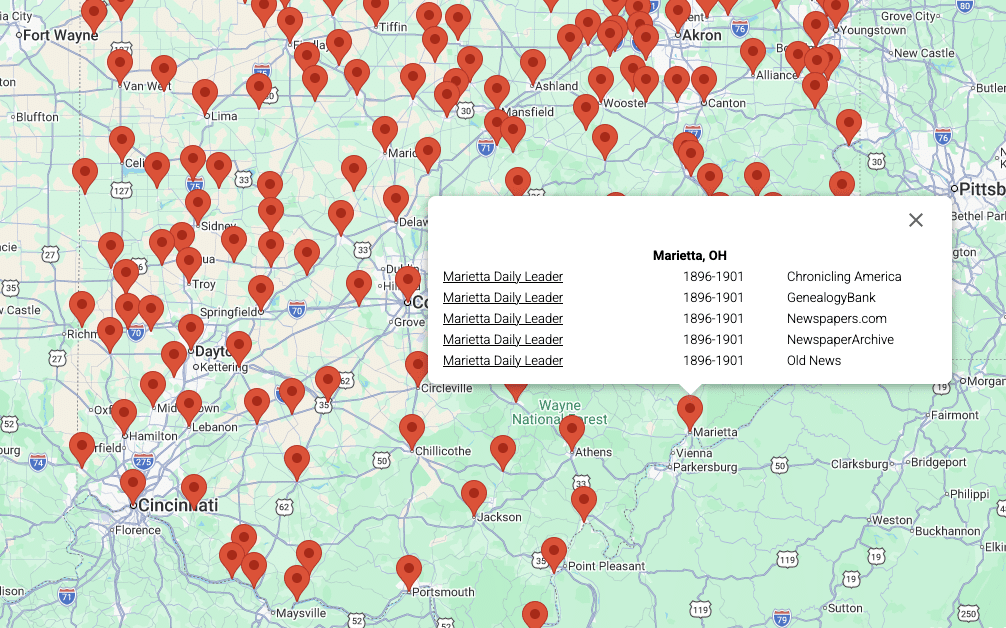
Instead of a list of newspapers, your search returns a zoomable map of your selected country, state or province, peppered with red pins. Each pin represents a unique locale, tagged to coordinates on a Google Map.
Click a pin to review what newspaper titles are available for that place across all the collections that Newspaper Finder has access to. The first column refers to the newspaper’s title; the second, to the years of coverage; and the third, to the name of the database.
In the example above, Newspaper Finder has identified five collections for Marietta, Ohio, between the years 1870 and 1900. All seem to actually be the same publication: a six-year run of the Marietta Daily Leader. The title is available across five different databases: Chronicling America, GenealogyBank, Newspapers.com, NewspaperArchive and OldNews.
Other places will have many more titles, each with varying years of coverage. You may find that different years of the same publication are digitized across multiple databases. Or (as with the Marietta Daily Leader) the same stretch of a newspaper’s run is available at multiple sites.
Here are some tips for reviewing titles in Newspaper Finder:
- Consider smaller towns. Your ancestor may have been “from” a big city, but actually lived in a suburb. More-populous areas are bound to have more newspapers—perhaps an overwhelming amount. But if your ancestor lived in a smaller, nearby town, you’ll have a lower (and more-manageable) number of newspapers to consider.
- Dive deeper into year range. Databases sometimes over-state the year range of newspapers in their collection. The dates often reflect the earliest and latest date of publication; they don’t necessarily indicate that the site has a complete run of the newspaper for that time period.
- Review papers at free websites first. Before paying for a subscription site to view newspaper title, see if the title is also on a free site such as Chronicling America or the Google News Archive. Remember, too, that many subscription websites offer free trials.
Step 3: Search at the Newspaper Database
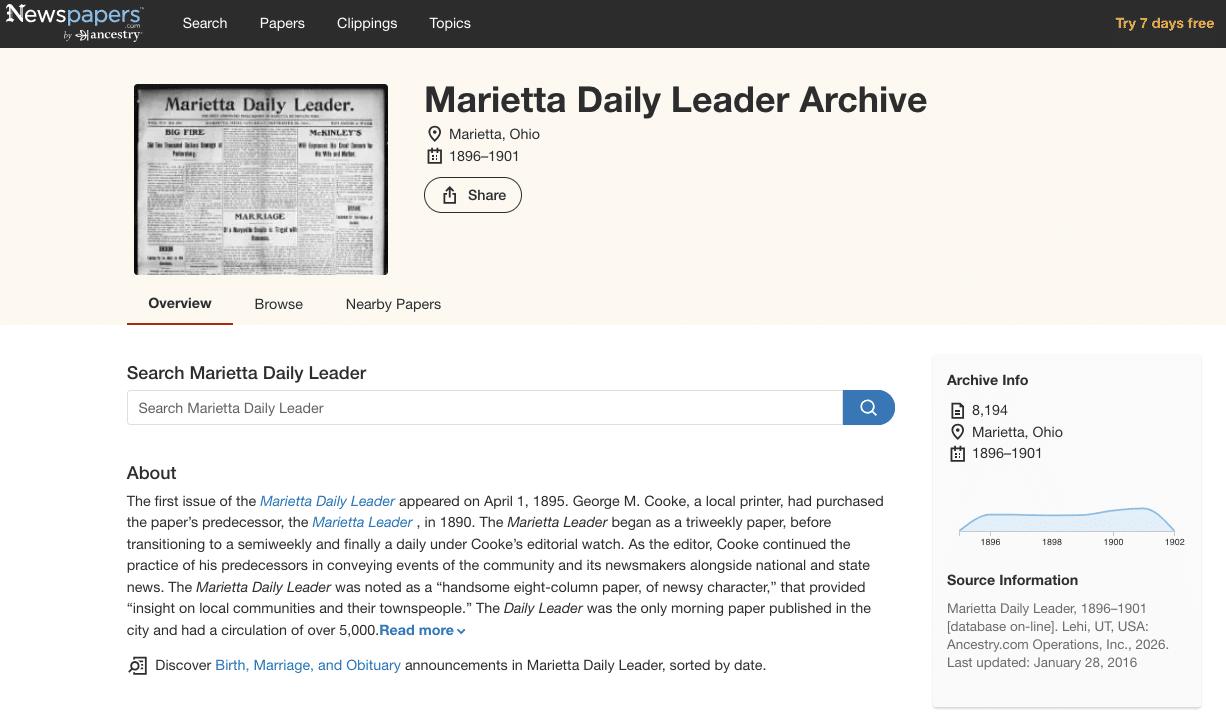
Click a publication’s title, and Newspaper Finder opens a new tab: the newspaper’s entry at the hosting database.
Take a second to familiarize yourself with that entry. Can you keyword-search some or all of that newspaper? Or does the site only allow you to browse images?
What happens next will depend on the database you’ve selected. We have tutorials for four of the largest:
Next Step: Choosing a Subscription Newspaper Website
Not sure what newspaper website deserves your money? We compare five of the major databases here. Here are some factors to consider:
- Coverage: Does one database seem to have more newspapers relevant to your research than others? Use Newspaper Finder and a site’s individual catalog to verify it has titles from the times and places you’re researching. Most websites claim to have collections that are 80-90% unique; you can verify this through Newspaper Finder.
- Compatibility: You may be able to save newspaper articles from one database to a family tree built in another—for example, clipping a Newspapers.com article to an Ancestry.com family tree. Ancestry.com and MyHeritage have also created specialized “stories and events” indexes that make articles easier to mine for genealogical details.
- Price: How much will your subscription cost you for a month? For a year? You can likely save money by paying in six-month or annual installments instead of month to month. And Ancestry.com, MyHeritage, and Storied each offer discounted combo subscriptions to their main and newspaper websites.
- Other benefits: Does your membership also give you access to other databases? At NewspaperArchive, for example, paid members also receive Storied’s other record collections, plus its enhanced story-building tools.
Related Reads


A version of this article will appear in the July/August 2026 issue of Family Tree Magazine.