
Once the social media hub for pithy posts (try to say all you have to say under 140 characters, later 280!), Twitter—now formally known as X—has undergone some major changes over the past couple of years. As a result, many users and organizations have flown the coop (pun intended?) to different platforms. As a genealogist who likes to stay in the know, you may be wondering where you can stay informed and find your place amongst other family history enthusiasts. Below we take a look at some popular replacements for Twitter/X.
Bluesky
If you have grown accustomed to Twitter’s layout and don’t wish to stray too far from it in your search for a new social media “home,” Bluesky may have you covered. Originally invite-only, Bluesky opened registration in 2024 and has since grown to almost 40 million users.
Bluesky lets you carefully curate the content you see. You can choose your interests and edit them any time simply by clicking Explore (it will appear as a magnifying glass on both mobile and desktop).
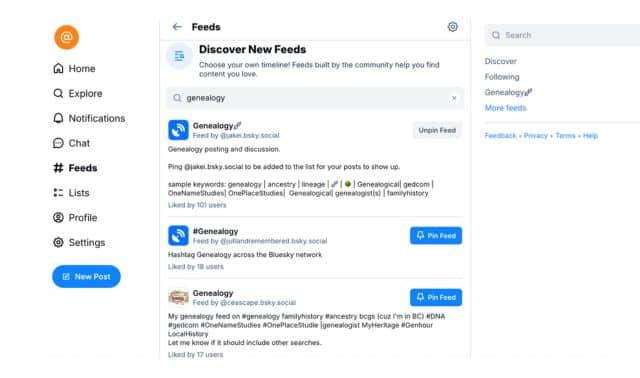
Also select from thousands of different “feeds” to help you connect with like-minded people. To find feeds, select the “Feed” icon (featuring the hashtag/pound symbol). Use the “Discover New Feeds” search bar to find feeds that fit your interests. For example, typing the word genealogy yields several promising results. You can save feeds simply by clicking “Pin Feed.”
Genealogy Accounts to Follow
Family Tree Magazine
Handle: @familytreemag.bsky.social
Follow Family Tree Magazine for the latest articles, podcast episodes, and more!
Association of Professional Genealogists – APG
Handle: @apggenealogists.bsky.social
While called the Association of Professional Genealogists, this well-respected organization can help genealogists of all experience levels find valuable tips, tricks, news and in-depth genealogy guides by following this organization.
Conference Keeper
Handle: @conferencekeeper.bsky.social
Established in 2016, this treasure trove of genealogy resources offers a comprehensive calendar of genealogy events, from webinars and seminars to conferences and fairs.
Family History Federation
Handle: @federationfhs.bsky.social
Founded in 1974, the Family History Federation promotes memberships to genealogy societies and works with government bodies to ensure the accessibility to security of archival organizations. Follow their account for information on genealogy societies, spotlights and open hours of family history libraries, genealogy news, and more.
Diahan Southard
Handle: @yourdnaguide.bsky.social
Founder of Your DNA Guide, Diahan Southard is a go-to resource for all things DNA. Find regular helpful guides, news on free webinars, and general tips for making the most of your DNA test results.
Threads
Owned by Meta, Threads is an excellent platform for those who also use Instagram or Facebook and wish to integrate content across those platforms. With that in mind, you will need an Instagram account to make use of Threads. Threads is also incredibly active; as of the writing of this article, it boasts around 115 million daily users. Beyond this, Threads is a bit more generous with content length than X/Twitter, allowing up to 500 characters for posts.
Genealogy Accounts to Follow
U.S. National Archives
Handle: usnatarchives
Self-proclaimed the “Nation’s Record Keeper,” the U.S. National Archives page certainly lives up to its name with updates on record collections, fascinating documents and general news on the U.S. National Archives and all it has to offer.
Association of Professional Genealogists – APG
Handle: apgenealogists
You can follow the Association of Professional Genealogists (APG) on Threads as well! Find a range of genealogy tips and tricks.
Daniel Loftus
Handle: Danielloftusgenealogy
An ambitious college student and eager genealogist, Daniel Loftus offers insightful content and commentary, particularly when it comes to Irish genealogy.
Mastodon
Mastodon looks similar in layout to Twitter/X and the social media platforms mentioned above. Like Threads, you have 500 characters to work with per post. What makes Mastodon unique is that you can edit your posts. So if you want to expand upon what you had already posted or just correct an embarrassing typo, you can do so without deleting your entire post and starting anew.
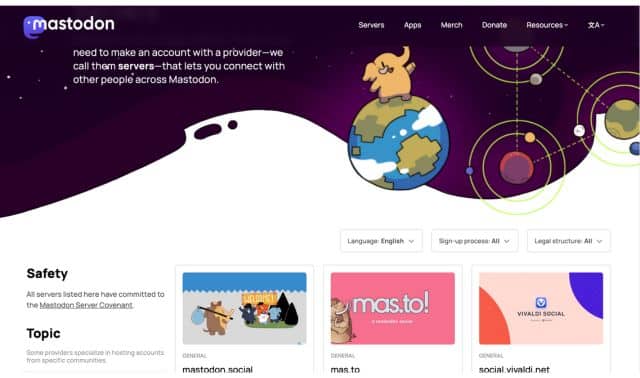
Mastodon is unique from other Twitter-esque social media platforms in that you must join a server before you can post. Servers have their own unique rules and moderators.
If you create an account through the regular Mastodon.Social link, you will default to the original Mastodon.social server. You can peruse a list of servers here before you create your account to determine if one suits your particular interests. Note that some servers will request that you “apply for an account.” This means that you will need to fill out a form and wait for a moderator to manually approve you.
When it comes to finding people to follow, there are a few ways you can go about doing this. If you already know a specific person’s handle, you can find them using the search bar. The format for handles will look like this: “@username@server.” You can find a person’s handle under their name when visiting their profile. For example, you’ll see below @genealogystories@mastodon.me.uk.
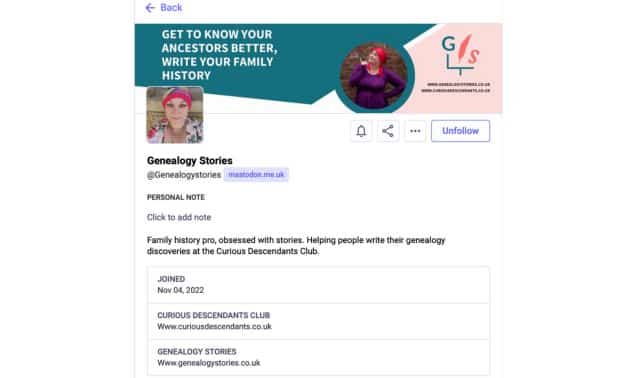
If you’re not sure where to begin, consider searching hashtags to find posts related to your interests. For example, #genealogy may yield some promising results. You can search for hashtags in the search bar. Your search may also turn up related hashtags worth exploring.
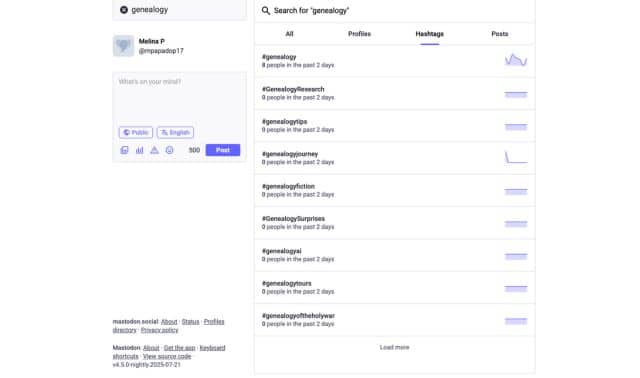
While exploring posts under “#genealogy,” you may come across other potential hashtags worth following. Examples might include “family history” and “Ancestry.”
Discord
Discord’s history is an intriguing one; it was initially created for gamers to communicate more easily with each other. Today, though, the platform offers people of all interests a chance to meet, video chat, private message and communicate in one convenient place.
On Discord, the bulk of communication with others occurs on servers. Servers feature channels where members can share images, voice and video chat, and more. Best of all, you don’t have to choose just one server to which to devote your time; you can be a member of as many servers as you desire.
There are a couple of ways to join servers. One way is to search for servers using the Discover option in Discord (it will appear as a compass, as pictured below). You can search for servers using specific keywords, like genealogy or family history.
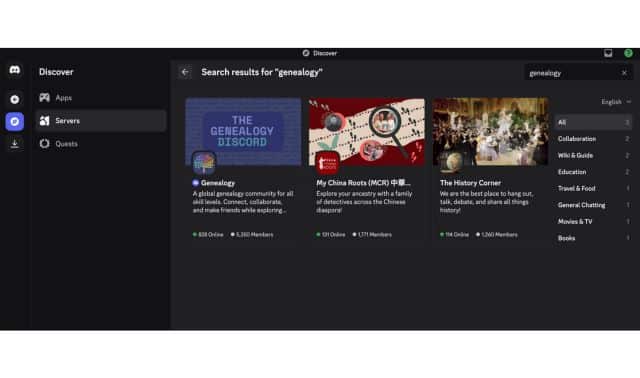
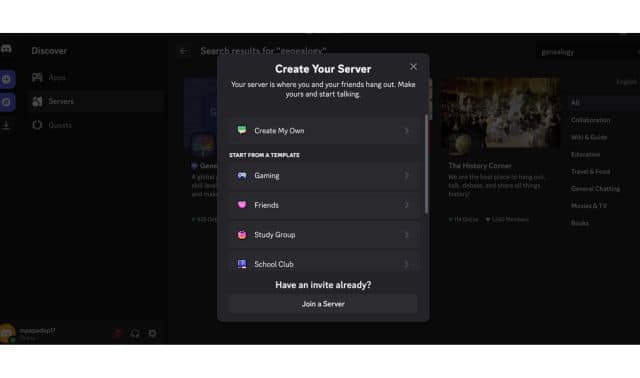
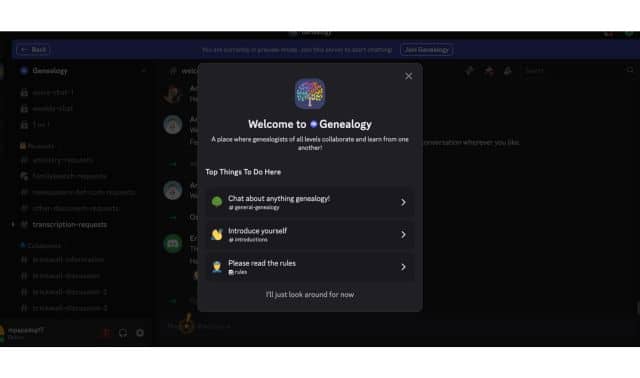
You can also receive direct invites to servers from other users—for example, maybe a friend in a Facebook genealogy group invites you to her research Discord server. You can accept invite links by clicking the circle with the plus sign in the middle. You will then see a box like the one below. Click “Join a Server” and paste the invite as prompted.
One open server that is perfect for beginner and experienced genealogists alike is Genealogy. With thousands of users, this server promotes collaborating with other genealogists on research projects, seeking help on finding records and information on subscription websites, and just chatting about genealogy.
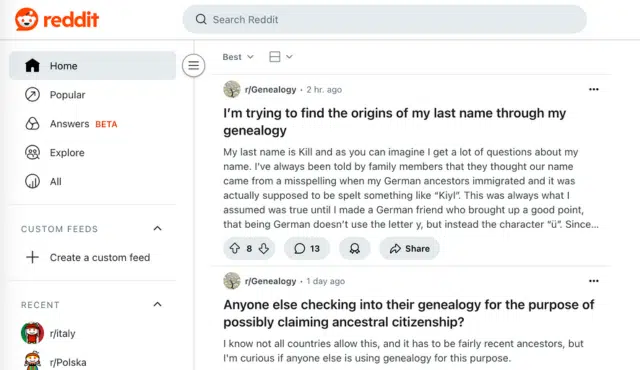
This forum-based social media platform can perhaps be described as one large site made up of many smaller communities where people with similar interests come together. These communities are known as “subreddits.” Each subreddit has its own rules and moderators. Users (Redditors) are free to post related content (text-based, images, etc.) within these subreddits. Other Redditors can then comment on said content. What sets Reddit apart from many social media sites is its upvote/downvote system. Redditors can “like” (upvote) or “dislike” (downvote) any post or comment as they see fit. The more upvotes a post receives, the more likely it is to reach the top of a subreddit, thus being seen by more people.
Finding subreddits is simple. Use the search bar at the top of page to search for topics that interest you. A subreddit will be formatted Reddit.com/r/[subreddit]. So the subreddit Genealogy would be Reddit.com/r/Genealogy.
Genealogy Subreddits to Follow
True to its name, this subreddit is the place to go for all things related to genealogy. Find answers to pressing genealogy questions, stay up-to-date on genealogy news, and even ask for advice yourself if you’re feeling up to it. One rule of the subreddit? Just be sure to respond to those who do help you.
Fascinated by DNA tests? Use /r/AncestryDNA to view others’ results, read fascinating stories, and even share your own.
Looking for some wholesome genealogy humor? /r/GenealogyMemes may be the subreddit for you. Browse relatable memes related to brickwalls, elusive ancestors, and just the silly little idiosyncrasies that come with being a genealogist.
A version of this article was posted online in August 2025.
Related Reads