Have you ever stared at a faded document trying to decipher nearly illegible handwriting or posted an image to a genealogy forum and asked “Can anyone read this?”
You’re not alone. Interpreting historical documents, letters and photographs can be one of the most frustrating (and rewarding) parts of genealogy research.
 MyHeritage
Search Billions of Historical Records
Start with a name.
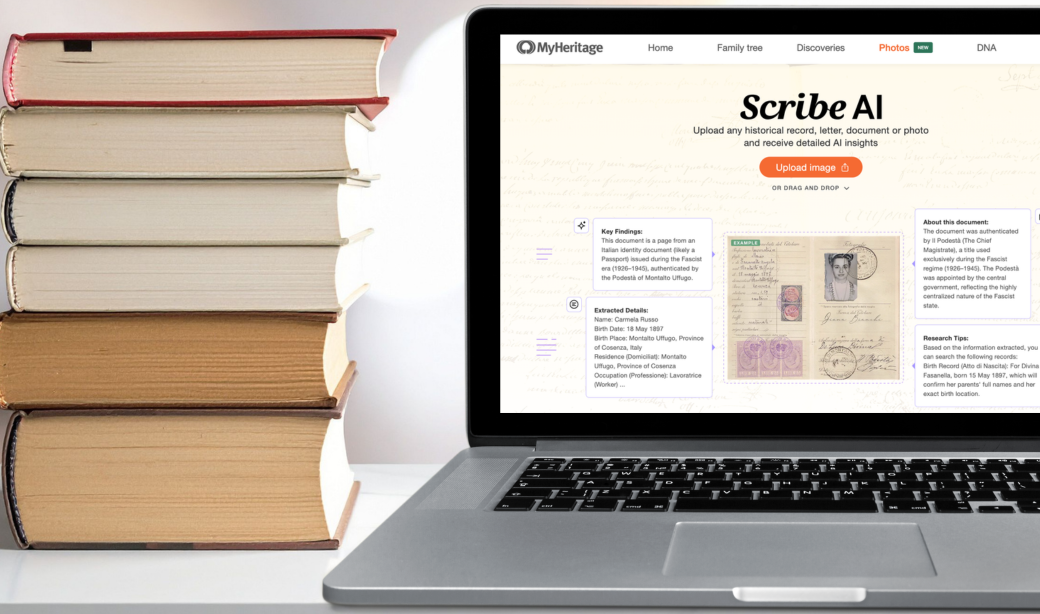
A new tool from MyHeritage aims to make that easier. Released during RootsTech 2026, MyHeritage’s Scribe AI uses artificial intelligence (AI) to analyze historical images and records, then provides insights about them.
As of this writing, the tool is available free to desktop users for a limited number of scans; unlimited access requires a paid subscription. Mobile support will be added later.
Here’s a closer look at how this new feature works and how genealogists can properly use it.
In This Article:
- What is Scribe AI? What Can it Do?
- How to Use Scribe AI
- Case Study: Historical Document
- Case Study: Gravestones
- Final Thoughts
What is Scribe AI? What Can it Do?
Scribe AI is an AI tool that can analyze historical materials. “SCRIBE” is actually an acronym for Scientific Record Indexing Base Engine, and it’s been trained to read both handwritten and printed text in multiple languages. Potential subjects include:
- Handwritten documents and letters
- Printed records
- Photographs
- Headstones
- Heraldic coats of arms and family crests
After the user uploads an image or document, Scribe AI first reviews the image to classify it and understand its contents. Depending on the type of material (document, photo, etc.), Scribe AI applies a specific procedure for that category of item—rather than a one-size-fits-all analysis. Learn more on the MyHeritage Blog.
Next, Scribe AI produces a structured report that includes transcription, translation and contextual insights about the uploaded item.
In other words, Scribe AI goes beyond optical character recognition (OCR). Instead of just extracting text, Scribe AI attempts to understand the document’s meaning and historical context.
Scribe AI is just one of the latest examples of how genealogy companies are incorporating artificial intelligence into family history research. Over the past few years, MyHeritage has released a number of AI-powered tools, including Deep Nostalgia and other photo-enhancement features.
However, as with any AI-powered genealogy tool, you should carefully evaluate results from Scribe AI. Under the tool’s FAQ section, MyHeritage highlights that users should fact-check the results for themselves: “While the AI is highly accurate, it may make mistakes, so exercise caution and apply judgement when reviewing the results. If you wish, you can review the transcription or analysis, copy it to any text editor, and make manual corrections.”
Notably, Scribe AI supports not just JPG files, but also PNGs and PDFs (including multi-page PDFs up to about 15 pages).
Transcription of handwritten and printed text
One of the best uses for genealogists is transcription. Scribe AI can convert handwritten or printed text from a historical document or photograph into a readable, typed version. This is perfect for anyone who has struggled with reading old handwriting or faded script. A generated transcription can help researchers quickly identify key information and confirm (or deny) what they think a document says.
As a bonus: Scribe AI also identifies marginalia and can transcribe it separately from the main text of the document.
As with any automated transcription tool, you should compare the results with the original image yourself to verify the AI-generated transcription’s accuracy.
Translation
If the uploaded image or document is written in another language, Scribe AI can also generate a translation. This works with any language supported on MyHeritage’s platform.
The translation is generated in the user’s language set within their MyHeritage account. For example, if you upload a document in German and your settings are in English, the translation will be generated in English while the transcription will be in German.
Extraction of key genealogical details
Scribe AI also attempts to identify key information within the document, such as names, dates and locations. These details are highlighted as “Key Findings” within its analysis, helping researchers quickly identify relevant details within longer documents.
Analysis of photos and gravestones
Scribe AI can interpret images beyond written documents, including photos, gravestones and coats of arms. The tool attempts to provide insights about the objects and symbols in the image.
For example, Scribe AI can decipher:
- Clothing styles that suggest a time period
- Symbols carved into gravestones
- Objects or settings visible in photographs
Historical context and interpretation
You’ll also see explanations for what you’re seeing. This is a key difference between this tool and others like it: Scribe AI explains why. Use this to interpret unfamiliar record types or historical materials, then plan further research.
How to Use Scribe AI
You can access Scribe AI in three different ways on MyHeritage’s website:
Upload a new media item
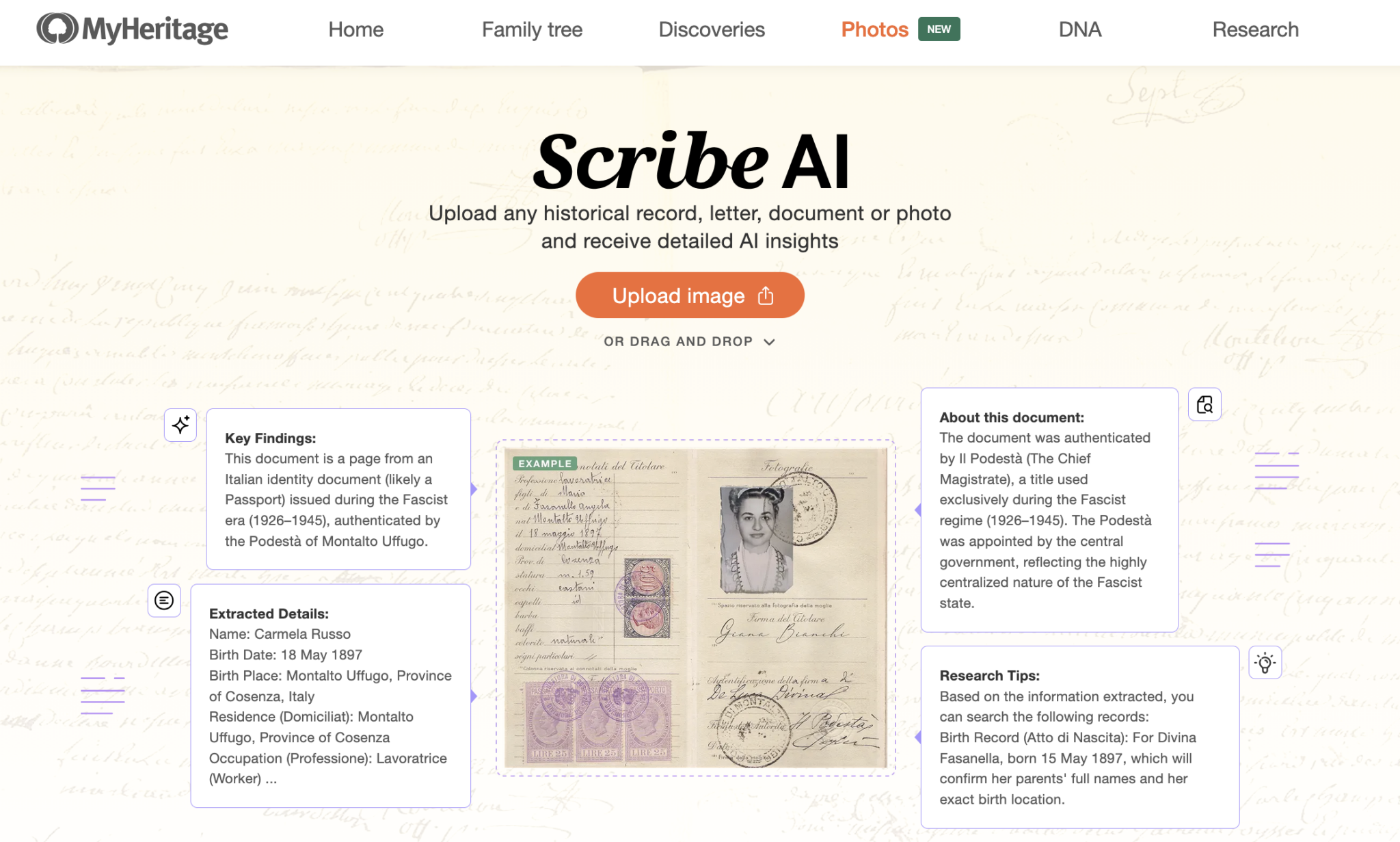
You can upload scanned documents and images directly into the tool at https://www.myheritage.com/scribe-ai by clicking “Upload Image” or dragging and dropping a file into the website.
Analyze images already on MyHeritage
If you have uploaded photos or documents on MyHeritage, you can launch Scribe AI by going to the file in the My Photos section and clicking View Insights on the sidebar.
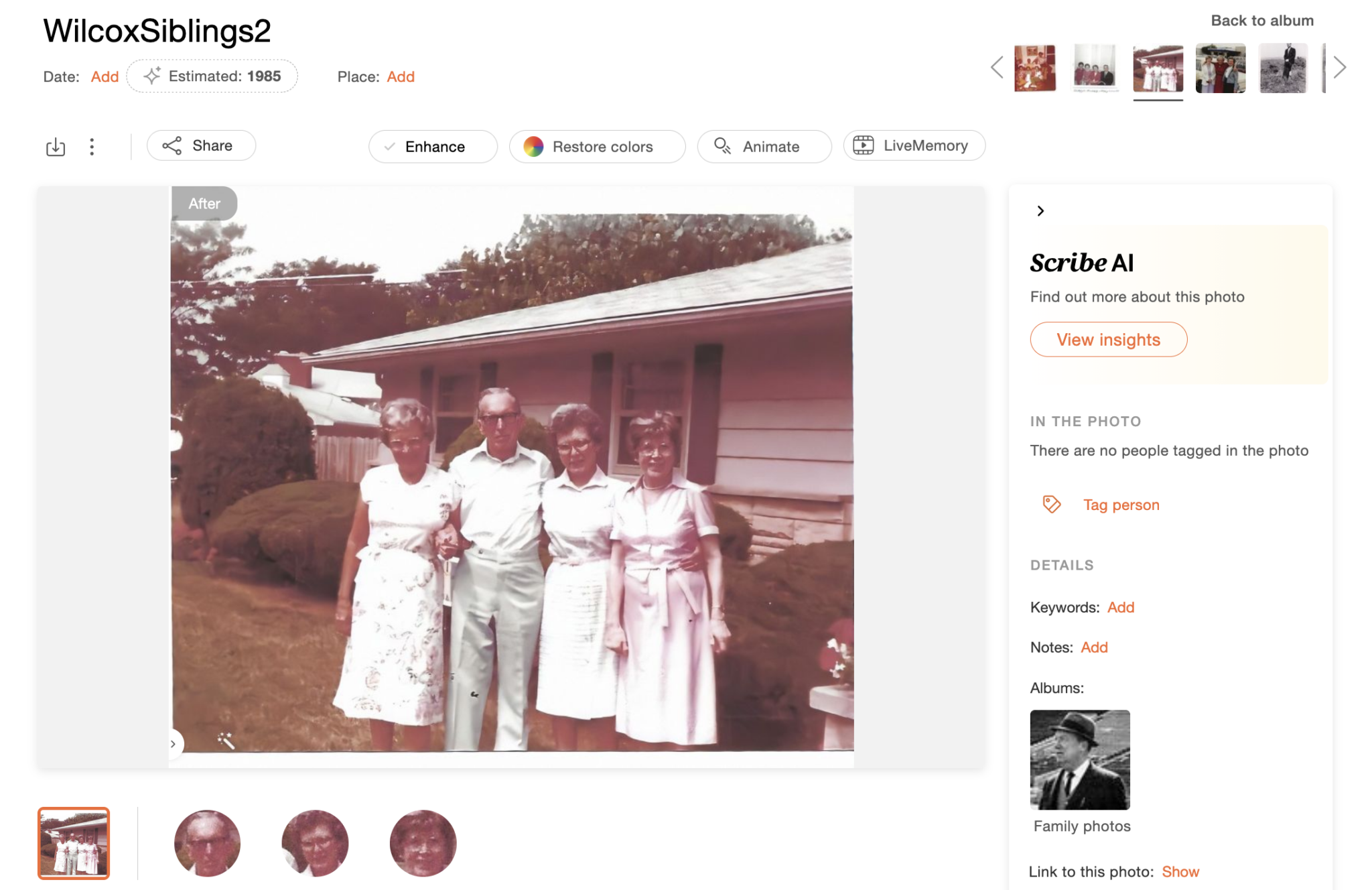
This will launch Scribe AI in a new browser tab.
Use on historical records
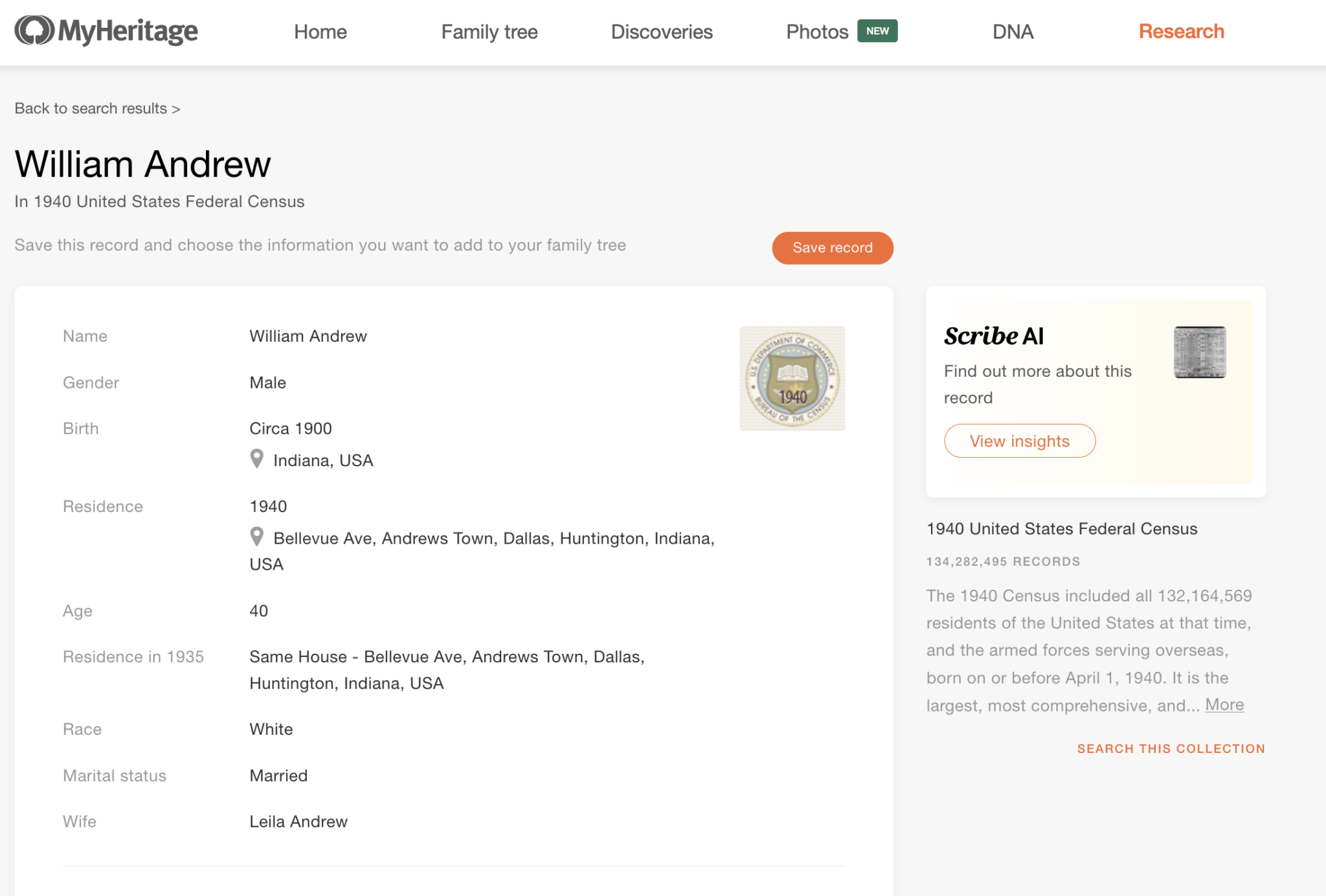
Scribe AI has also been integrated into MyHeritage’s record collections. When viewing a record image, you may see an option to add Scribe AI analysis directly to the record page. Again, click View Insights in the right-hand column.
Case Study: Historical Document
I uploaded a record of my third-great-grandfather’s death from a registry in Rödelheim, Germany. Within a few seconds, Scribe AI generated a full analysis that gave the following information:
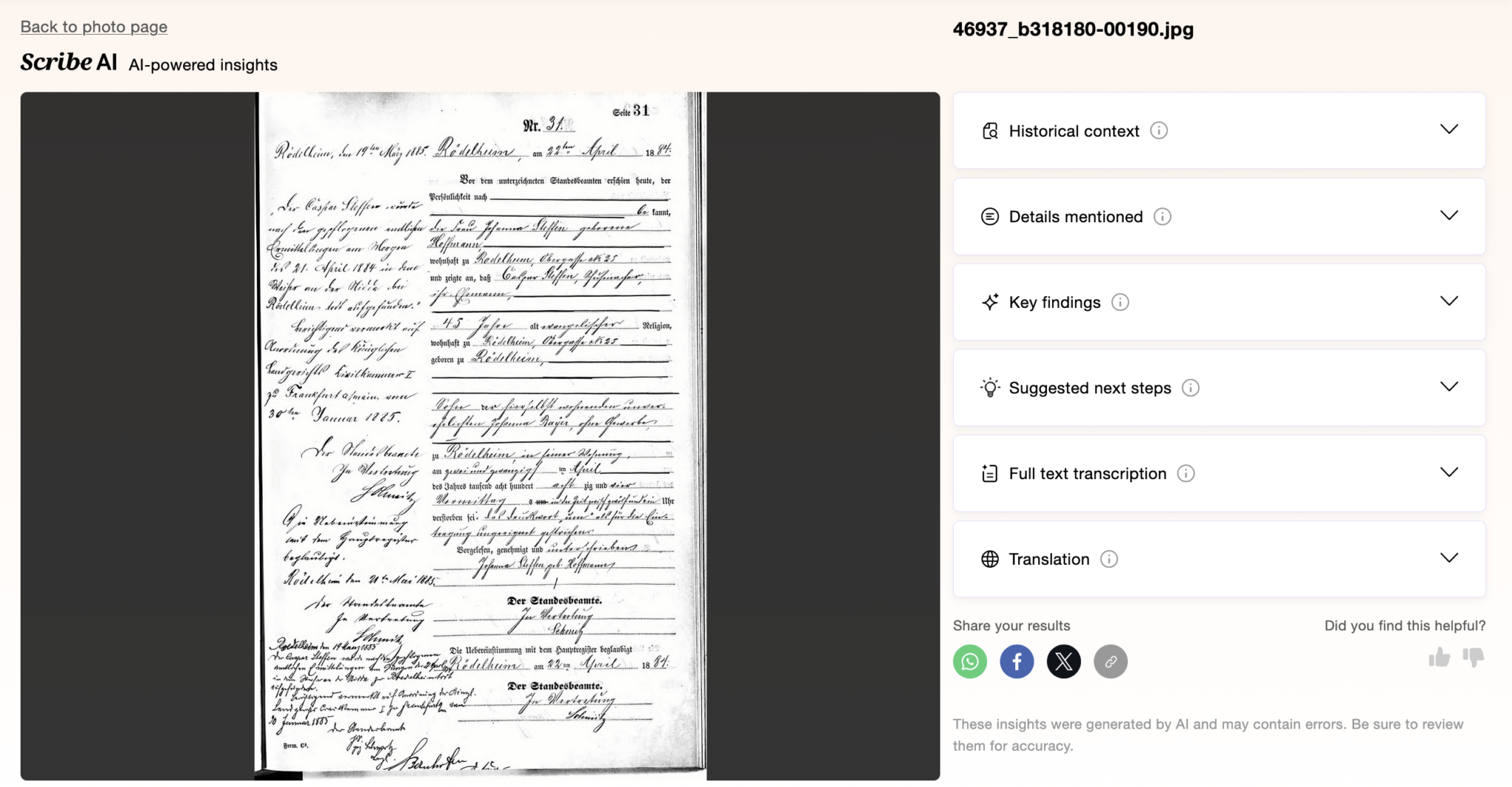
Click on each of the drop-down tabs next to the image viewer to access different parts of the Scribe AI analysis.
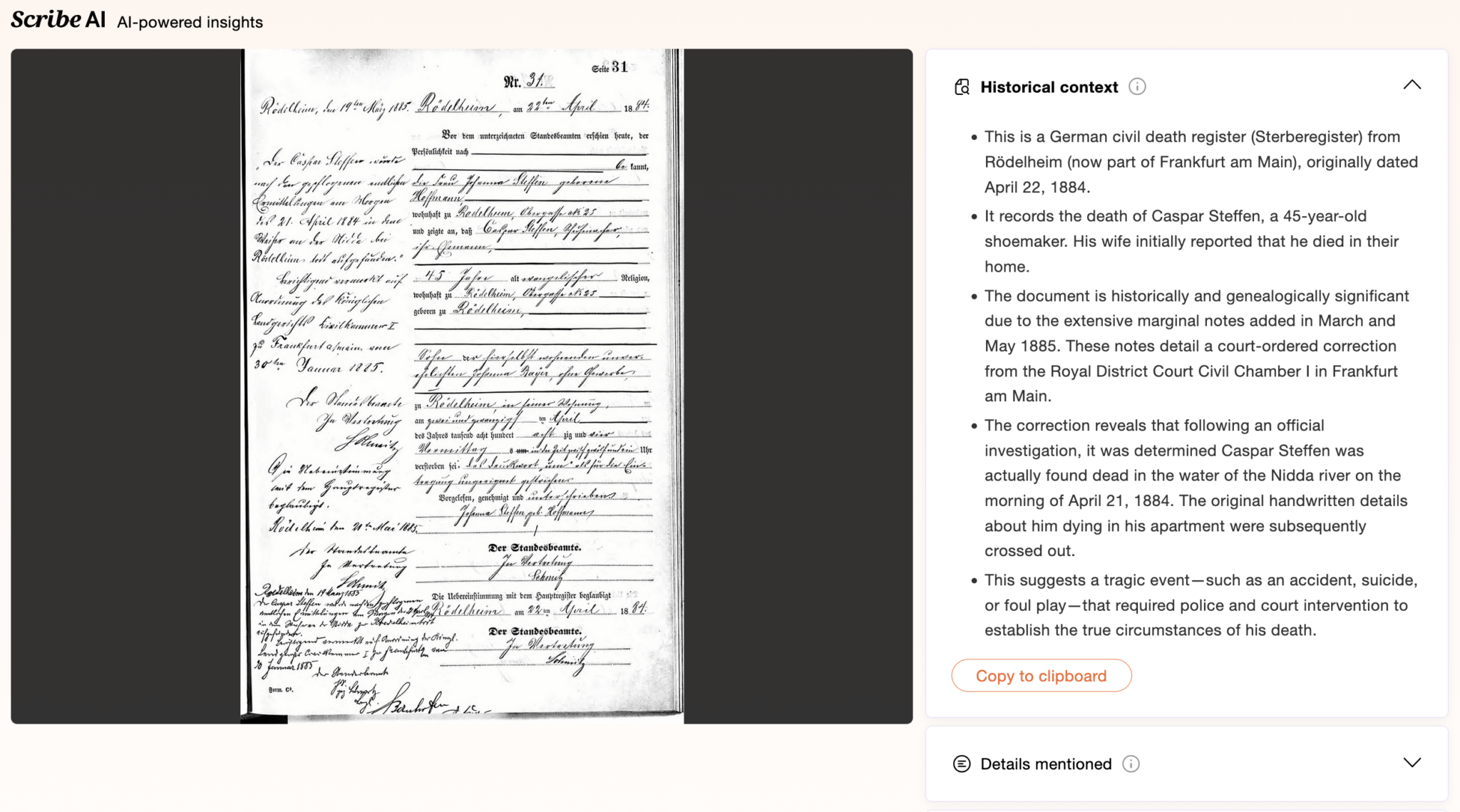
You can copy the analysis into a word processor by clicking “copy to clipboard.”
Here is what Scribe AI was able to glean from this record:
Historical context
Scribe AI provided information about what kind of record it was (a Sterberegister) and where it was created. Notably, it flagged jurisdictional changes, mentioning that Rödelheim is now part of Frankfurt am Main. Scribe AI also correctly identified the date of the document, the name of the deceased, as well as his occupation and that his wife reported his death.
Most importantly, however, Scribe AI was able to analyze the marginalia of the document. It wrote: “The document is historically and genealogically significant due to the extensive marginal notes added in March and May 1885. These notes detail a court-ordered correction from the Royal District Court Civil Chamber I in Frankfurt am Main.”
However, the AI tool falsely said “the original handwritten details about him dying in his apartment were subsequently crossed out.” It is clear, looking at the document, that there is no information crossed out within the record itself. Perhaps Scribe AI flagged the heavily inked lines on the form as striked-out text.
Finally, Scribe AI reported that, “this suggests a tragic event—such as an accident, suicide, or foul play—that required police and court intervention to establish the true circumstances of his death.”
Details mentioned
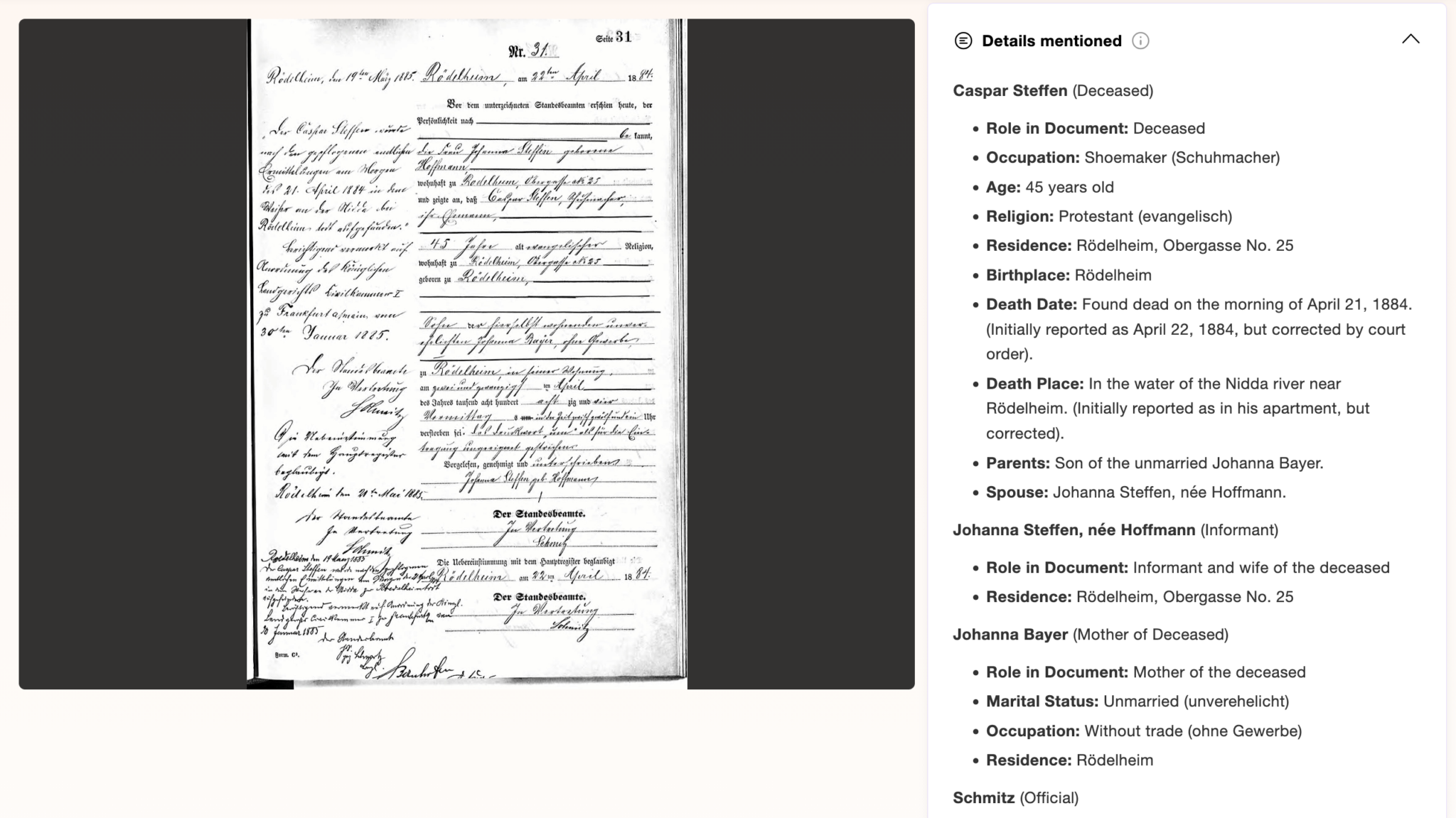
Scribe AI accurately pulled out the names of the deceased, their wife, and their mother. It notably reported that Johanna Bayer, Caspar’s mother, was likely unmarried.
It also out acknowledged an investigation found he was “actually found dead in the water of the Nidda river on the morning of April 21, 1884.”
The analysis is especially impressive given that this document is written in Kurrent, an old German cursive script. Had I not been able to read German or Kurrent myself, these details would have taken a lot of time to figure out. However, for those who can’t read German or Kurrent, it demonstrates just how powerful this tool is.
Key findings
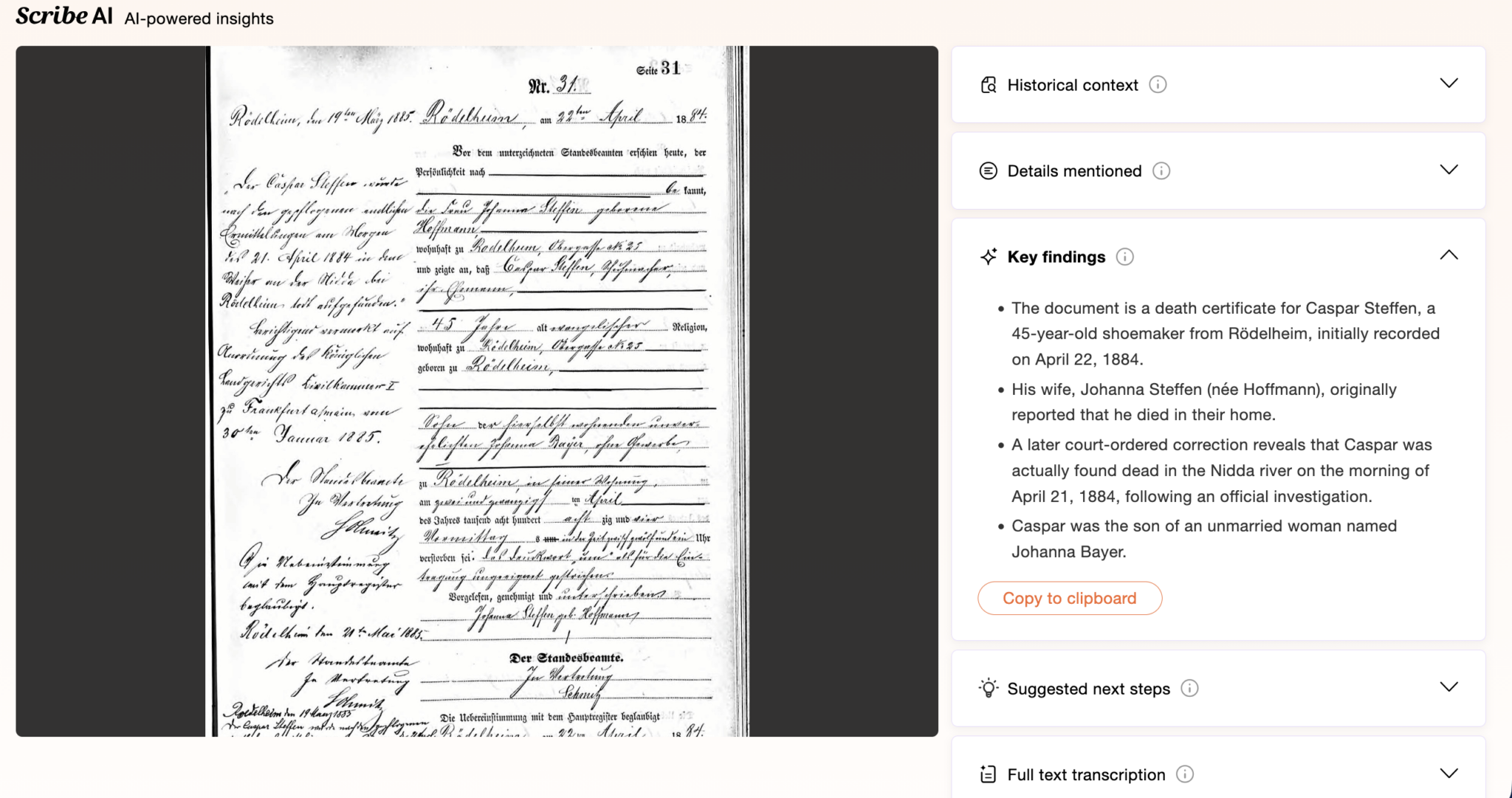
A Key Findings section summarized much of the historical context and details mentioned above, including the notes about the investigation.
Suggested next steps
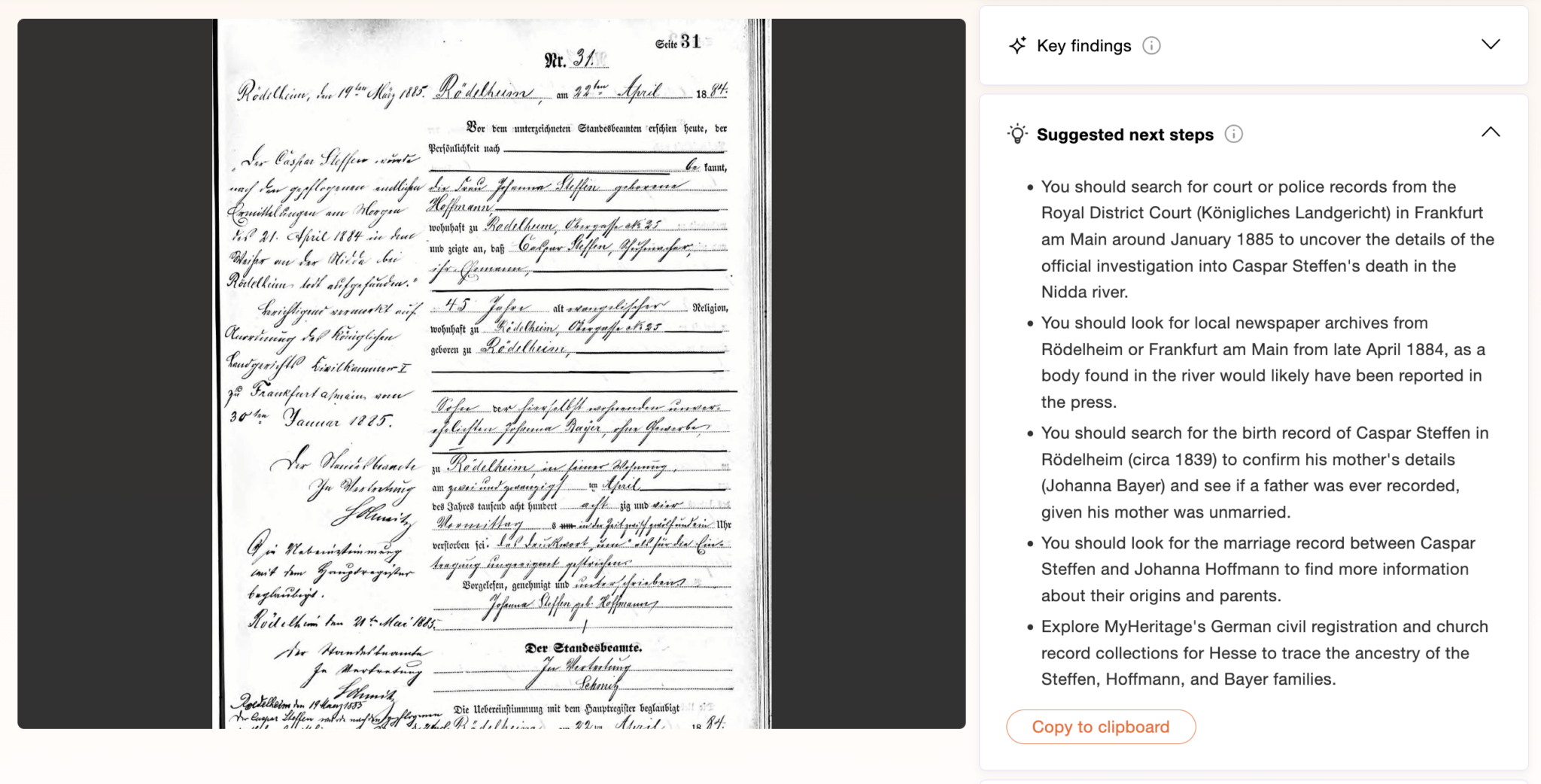
Like developing tools from other genealogy companies (e.g., Ancestry.com’s AncestryAI assistant), Scribe AI suggests next avenues for research. But unlike its competitors, Scribe AI bases these recommendations solely off this record type. And it suggests more-advanced research topics, such as police or court records.
Full text transcription and translation
Arguably the most powerful tools for researchers working with foreign-language records are transcription and translation tools.
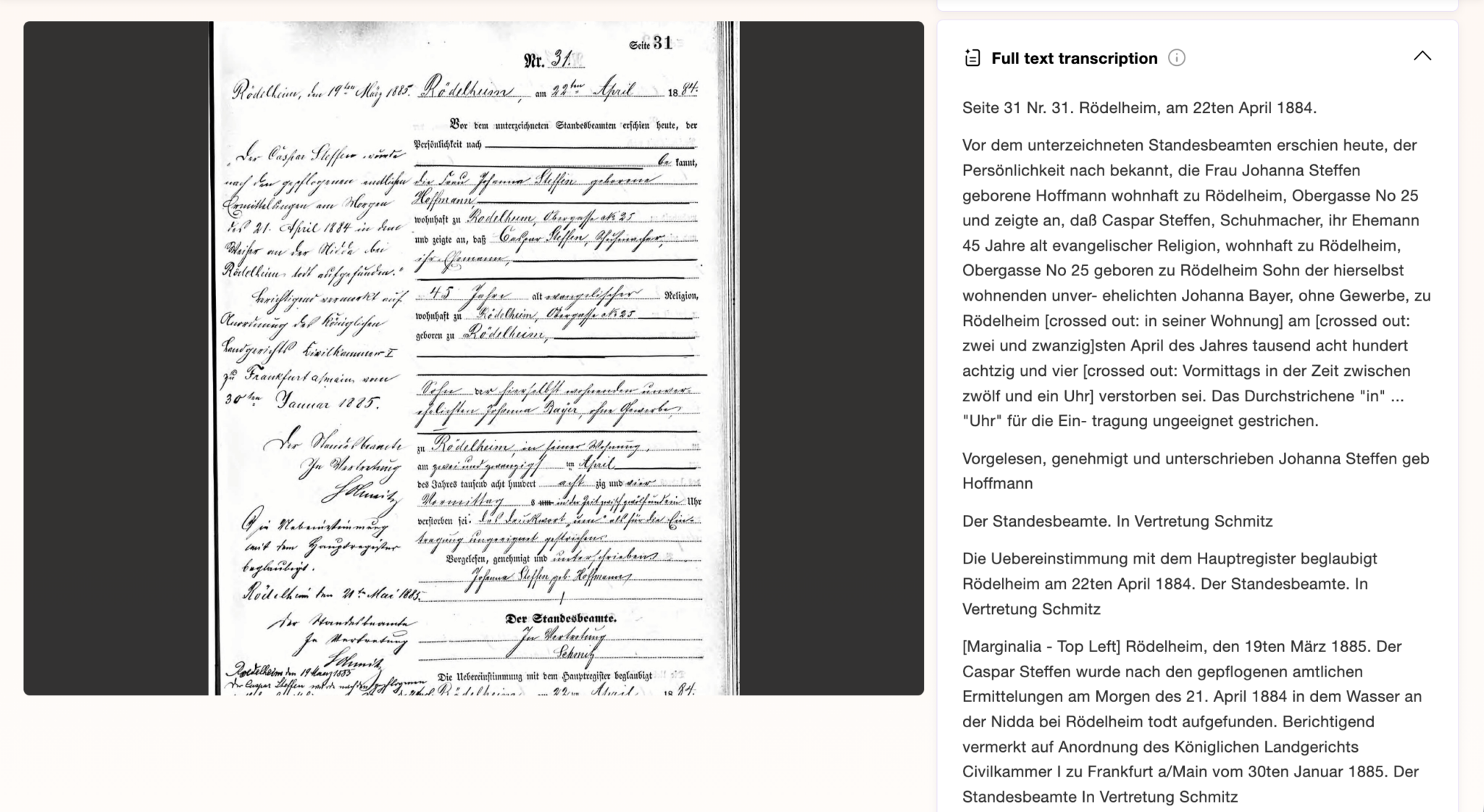
Scribe AI is impressive in its transcription, as it was able to distinguish the marginalia from the main record.
Notably, however, Scribe AI did make mistakes: It transcribed and translated the record with notes about things being crossed out, which they clearly are not.
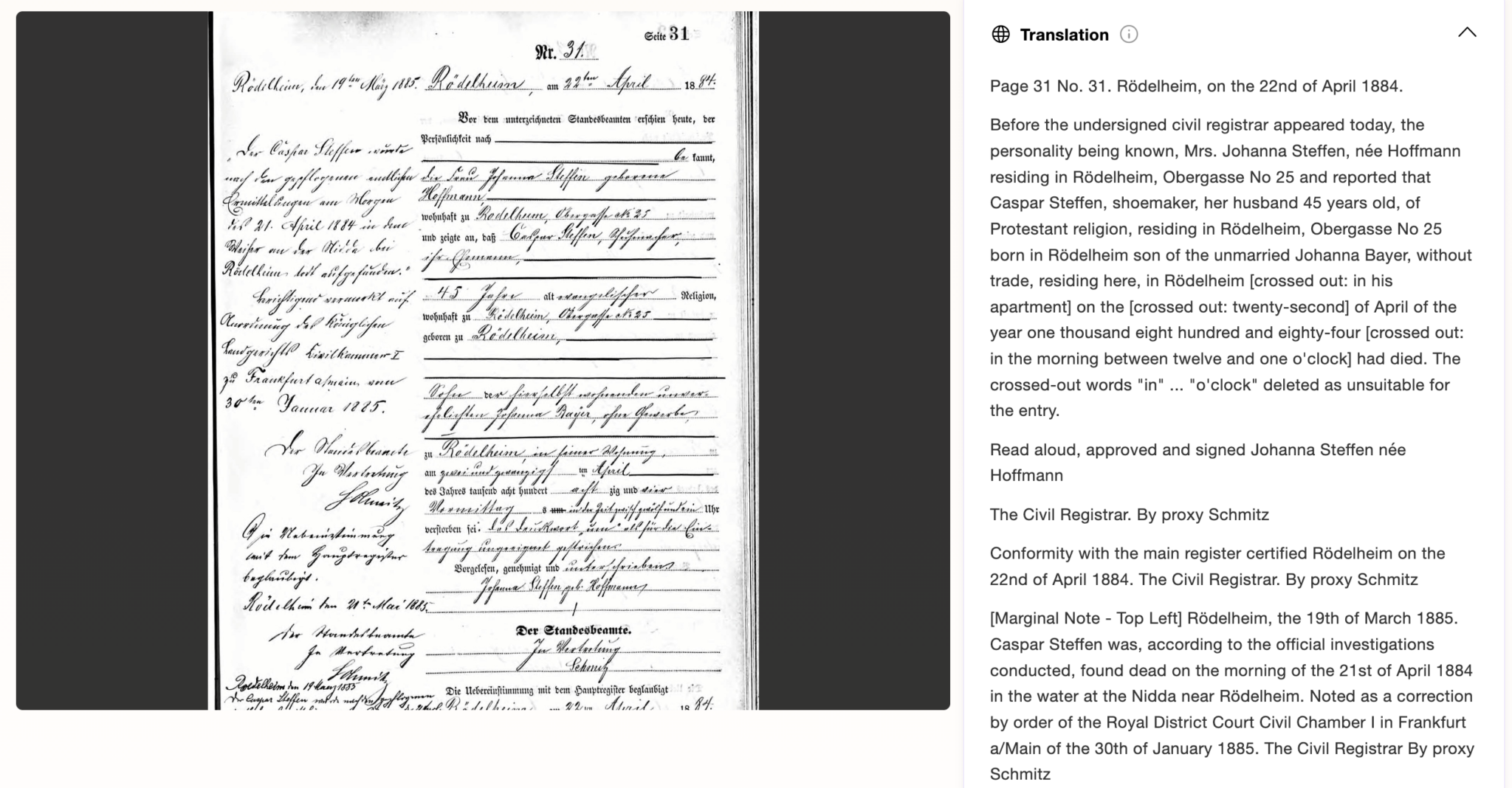
In summary, Scribe AI can:
- Transcribe and translate historical typed and handwritten documents
- Estimate the date and location of family photos
- Decipher symbols on gravestones
- Interpret family crests and coats of arms
And it can complete these functions in all the languages compatible with MyHeritage—50, as of this writing. The output is in the user’s language settings; if the document is in a different language, Scribe AI will translate.
In the FAQ section, MyHeritage highlights that users should exercise caution in the results: “While the AI is highly accurate, it may make mistakes, so exercise caution and apply judgement when reviewing the results. If you wish, you can review the transcription or analysis, copy it to any text editor, and make manual corrections.”
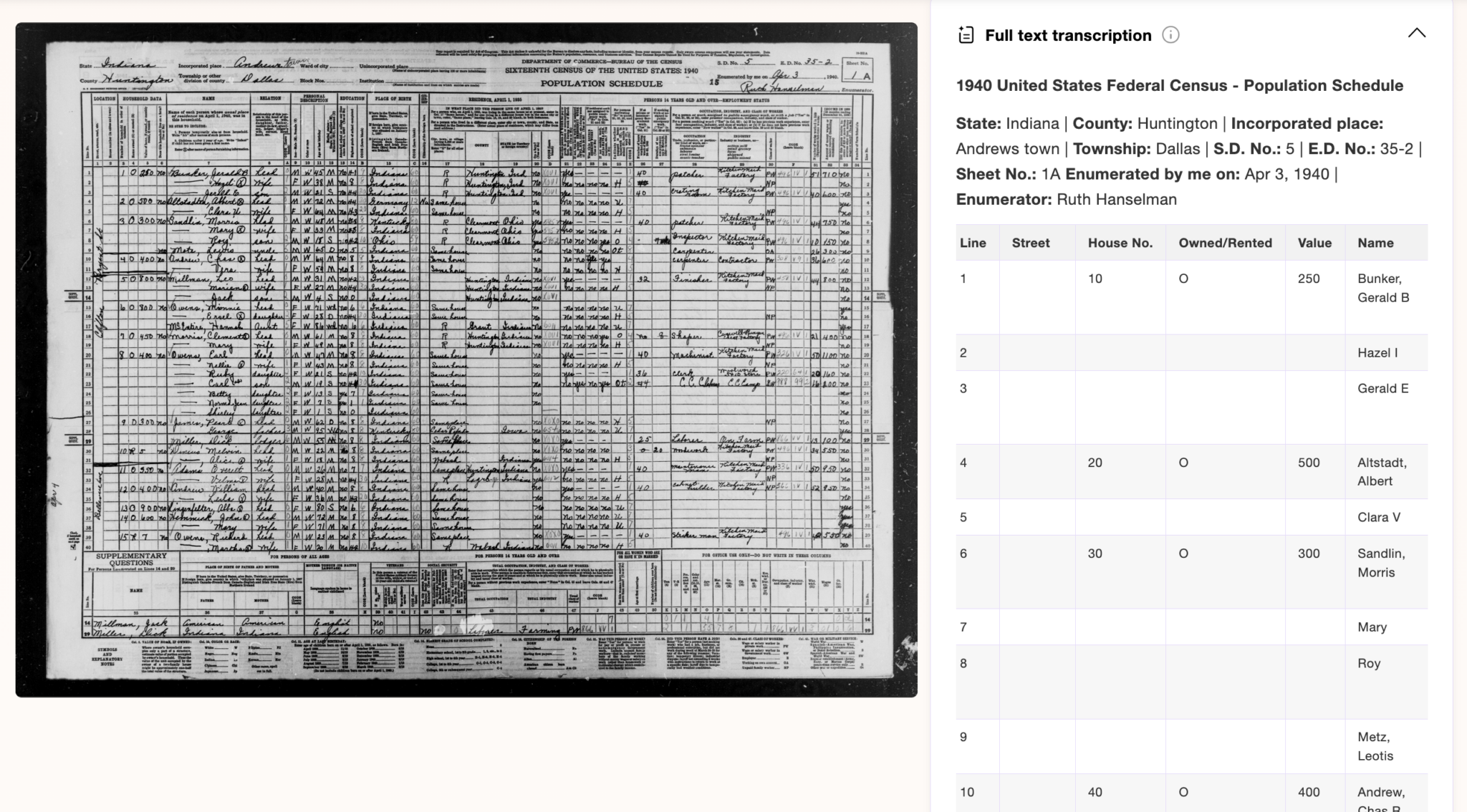
Additionally, when I tried Scribe AI with a census record, I found that Scribe AI transcribed the entire census record page in an easy-to-read chart, allowing me to notice details that are not usually indexed:
Case Study: Gravestones
I ran two gravestones through Scribe AI to test what it can pick up on.
The first was of my Revolutionary War ancestor, Absolam Kent Sr.
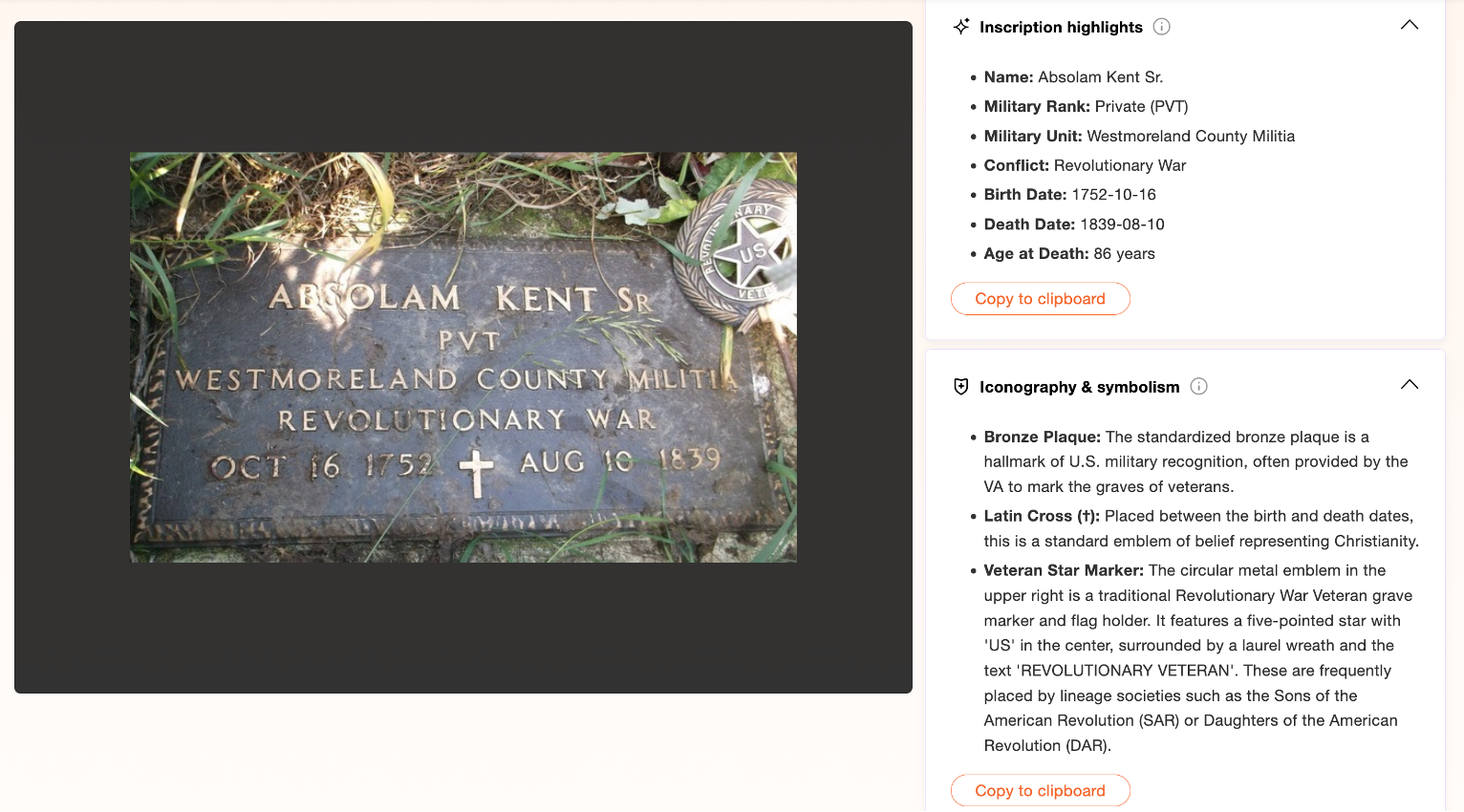
Scribe AI correctly picked up details of the inscription, including the veteran star next to the stone and a Latin cross (which it said is “a standard emblem of belief representing Christianity”).
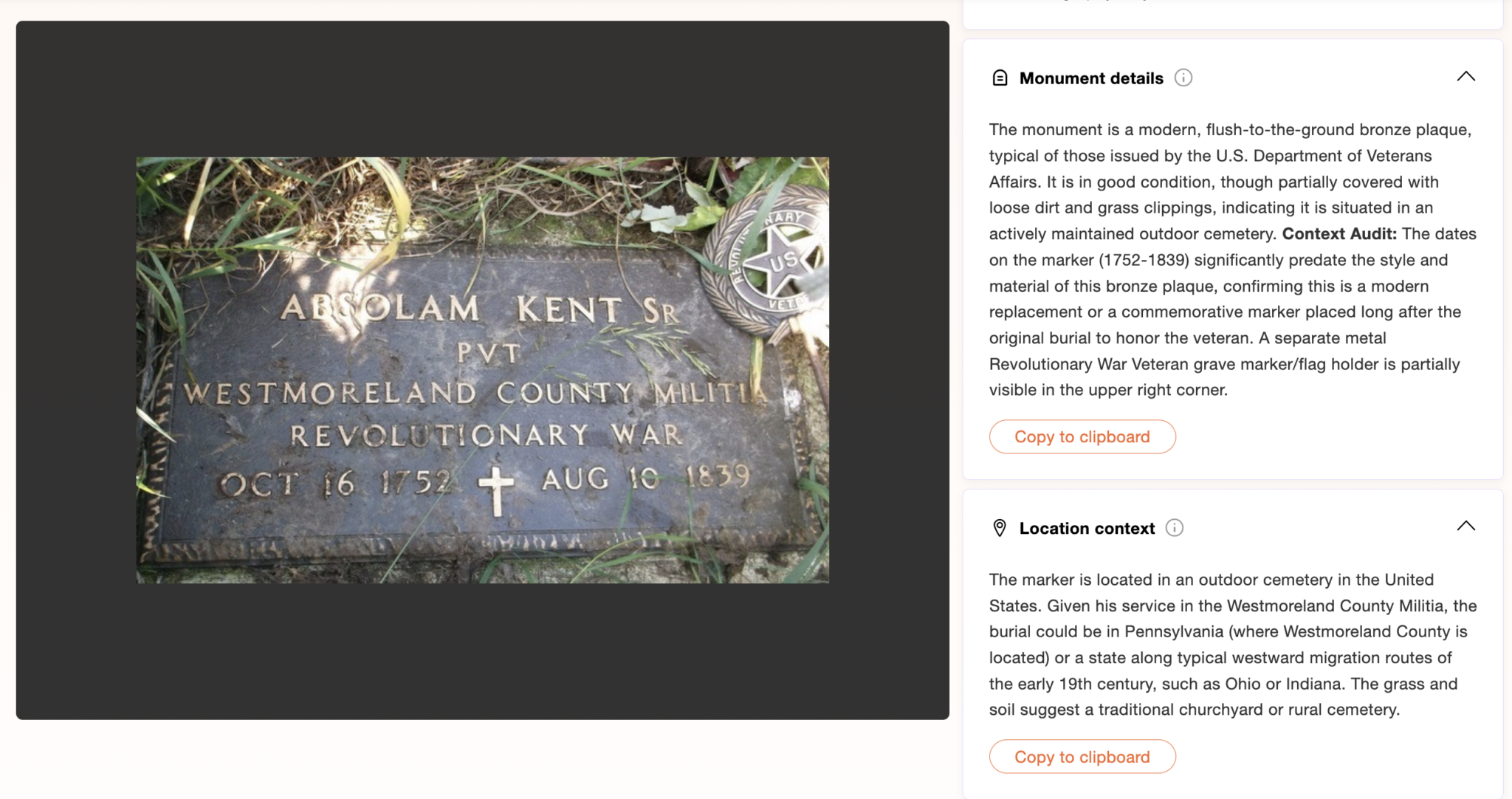
Scribe AI was also able to give historical context behind the marker, noting that it is a more modern monument and “in good condition, though partially covered with loose dirt and grass clippings.
“The dates on the marker (1752–1839) significantly predate the style and material of this bronze plaque, confirming this is a modern replacement or a commemorative marker placed long after the original burial to honor the veteran.”
Additionally, Scribe AI estimated the location of the marker based on his service as either in Pennsylvania or “a state along typical westward migration routes of the early 19th century, such as Ohio or Indiana.” Absolam Kent Sr. is buried in Indiana, having migrated to Adams County, Indiana in the early 19th century.
The second gravestone image I tested on Scribe AI is one I took while in Munich at the Alter Südfriedhof (Old South Cemetery). The tool not only correctly transcribed the gravestone, but also translated it and suggested a precise location. Without my telling it, it suggested Alter Südfriedhof based on the German-language inscription, Catholic iconography, and park-like setting.
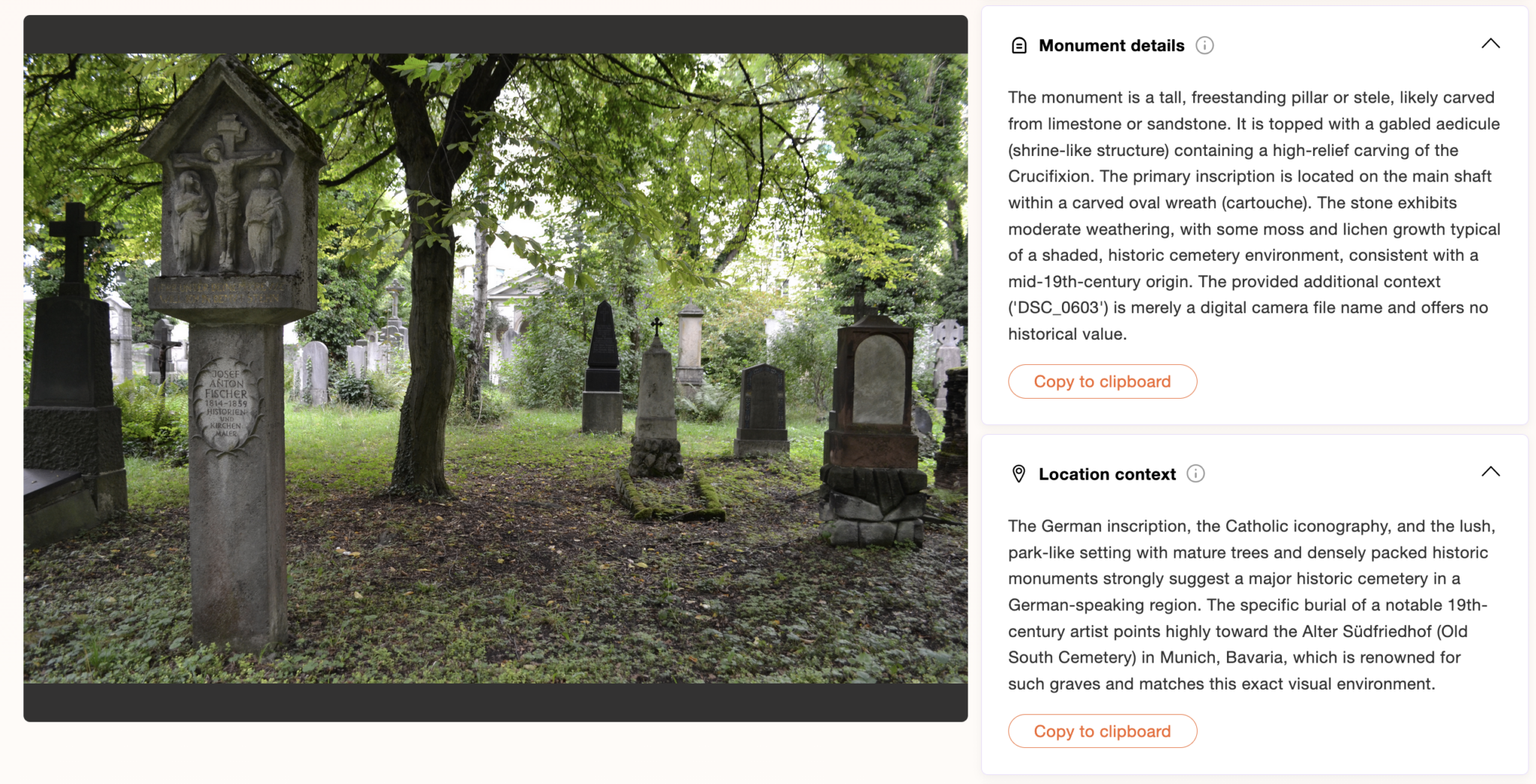
Notably, however, Scribe AI did not translate or pick up on a key detail: Josef Anton Fischer’s headstone says “Historien und Kirchenmaler” (historian and church-painter) For some reason, it focused solely on the church painter part of his headstone, leaving out the detail that he was a historian nearly entirely in its summary. This may be due to it interpretating a “-“ between the words Historien and und.
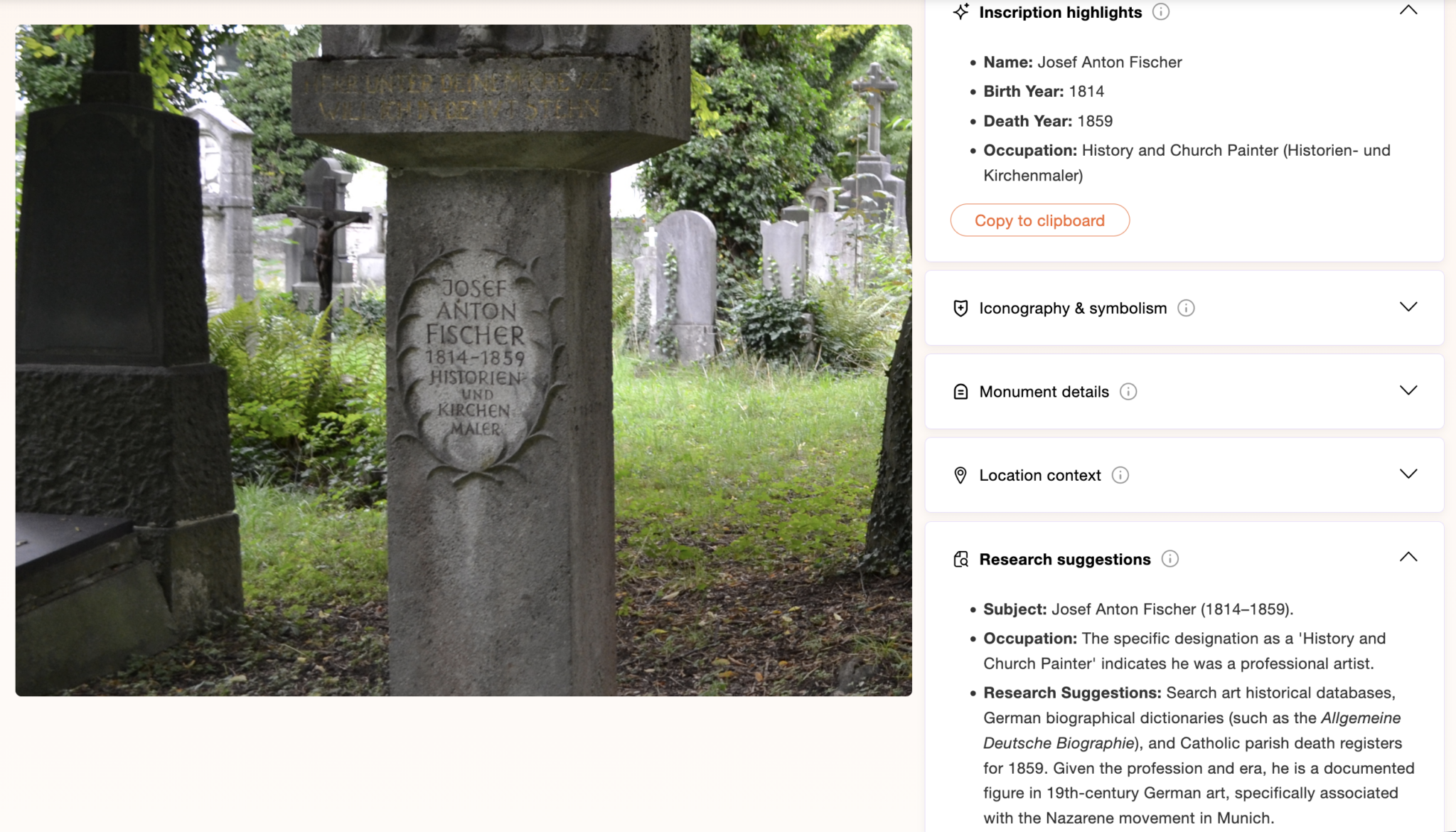
Scribe AI also included suggestions for further research on Josef Anton Fisher: looking at historical art databases, German biographical dictions and Catholic parish records–all good avenues for future research.
Final Thoughts
As tools like Scribe AI continue to develop, they offer genealogists new ways to engage with and understand the documents, photos and artifacts that shape our understanding of the past and our family history. At its core, family history is about interpretation–taking those fragments of the past and using them to tell meaningful stories. Tools like Scribe AI don’t change that work, but they can make it slightly easier to get started.
While no AI tool can replace careful analysis, context and verification, it can serve as a helpful starting point, especially when working with difficult handwriting, unfamiliar languages or unclear images.
Used thoughtfully, Scribe AI has the potential to make historical materials more accessible and help researchers spend less time deciphering and more time connecting the pieces of their family story. Just remember: it’s a starting point, not the final answer. The real work of genealogy–analyzing, verifying and understanding–still belongs to you.
This article was published online in March 2026.
Related Reads



Author

Katharine Korte Andrew MS/LIS is a digital editor for Family Tree Magazine and professional genealogist.