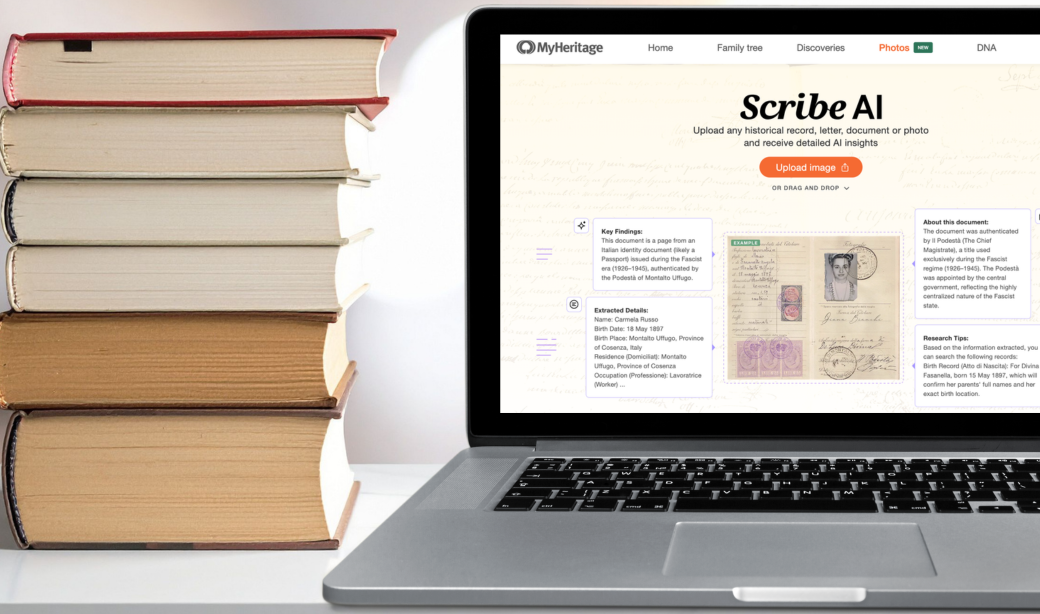
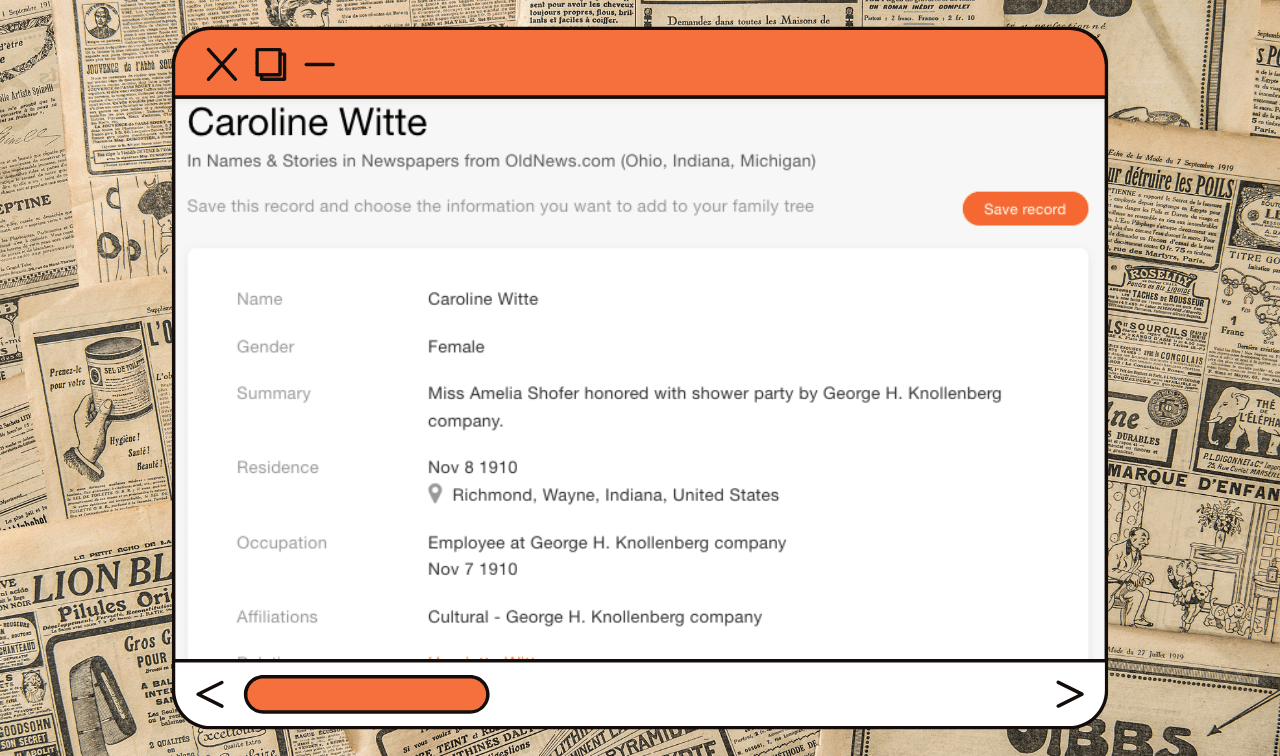
In 2024, MyHeritage made a surprising announcement at the RootsTech conference in Salt Lake City: It launched OldNews, a subscription historical newspaper website.
Then, like its rival Ancestry.com, MyHeritage raised the stakes by creating new, innovative indexes to its sister site’s newspapers. Available on MyHeritage proper, the “Names & Stories” collections extract information from all sorts of newspaper articles, then makes them searchable.
Read on to learn what you can find in these indexes, plus how to search them.
 MyHeritage
Search Billions of Historical Records
Start with a name.
What Records are Included in the Names & Stories Indexes?
Newspapers have often been called the “social media” of their age, chronicling events in the lives of both everyday and renowned people. Gossip columns, marriage announcements, court minutes, classifieds, accident reports—all appeared in newspapers, and all contain clues to your ancestors’ lives. More and more newspapers come online each day, allowing you to mine them for genealogical details.
Using artificial intelligence, MyHeritage created a text-based transcript of newspaper images. It then used proprietary algorithms to comb some of the 41,000 titles in its OldNews collection for references to individual people, then structure all that data into a sensible format.
For each name, event and story featured in a newspaper, the tool generated an entry that typically includes:
- The names of the article’s subjects
- The relationships between them
- The publication title and the issue date and place
- Other relevant details, such as residence or occupation
MyHeritage also “infers” data based on an article’s text. For example, it will use the paper’s publication date to calculate a death date for someone said in an article to have died only in relative terms (e.g., “last Thursday”). Likewise, it will generate birth years based on listed ages.
In addition to these, the index includes a snippet of the sourced newspaper article and a brief AI-generated summary to give you some context. Note the article summary will be in English, even if the original newspaper was printed in a different language.
Obituaries, of course, are another key genealogical feature of newspapers. MyHeritage placed obituaries into their own, separate collections, organized by country: US, Australia and Canada. In October 2025, they did something similar with marriage announcements from the U.S., Australia, Canada and New Zealand.
MyHeritage has its own newspapers, too, separate from OldNews. Find an index to them (numbering more than 2.3 billion entries) here.
What places are covered?
MyHeritage’s records span the globe, and that wide focus is reflected in what newspapers its sister site OldNews has digitized and indexed. As of this writing, the Names & Stories indexes cover:
- Australia
- Canada (in both English and French)
- France
- Ireland
- New Zealand
- Spain
- the United Kingdom
- the United States
You’ll note the indexes are mostly organized by country. US newspapers, however, have been separated into 12 collections that each contain multiple states and/or territories. Ohio’s newspapers, for example, are bundled with those from Indiana and Michigan.
In addition to the Names & Stories collections, MyHeritage has published OCR-generated newspaper indexes from still more European countries (e.g., Germany and Poland). The “Newspapers from OldNews.com” collections contain less detail than do Names & Stories, but are still valuable.
What years are covered?
Coverage varies by place and publication. OldNews doesn’t make a specific claim about what years it covers; in its announcement of OldNews, MyHeritage said only that the site has “extensive coverage of the 1800s and 1900s.”
How accurate are the indexes?
In hours of working in the collections, Family Tree has found the indexes to be highly accurate, even for foreign-language papers and print in arcane fonts. MyHeritage claims 99% accuracy for its OCR-generated transcriptions, compared to roughly 88% reported accuracy from its unnamed competitors.
By clicking through the results page (see No. 2 below), you can compare MyHeritage’s transcription with an image of the original article. If you find an error, you can suggest an alternative transcription using the “Spotted an error?” link.
Do I Need a Subscription to View Results?
Yes, you’ll need a MyHeritage subscription to review indexes and an OldNews subscription to view the original newspaper pages. MyHeritage has multiple subscription tiers; the Omni subscription ($399/year) is the only that includes OldNews. An OldNews Pro subscription on its own is $99/year, and MyHeritage offers first-year discounts on subscriptions to either site.
Step-by-Step: Searching Newspaper Indexes
1. Find a collection
From the Collection Catalog, search for OldNews and the country or state’s name. Remember that US states are sorted into collections of three to five (or so).
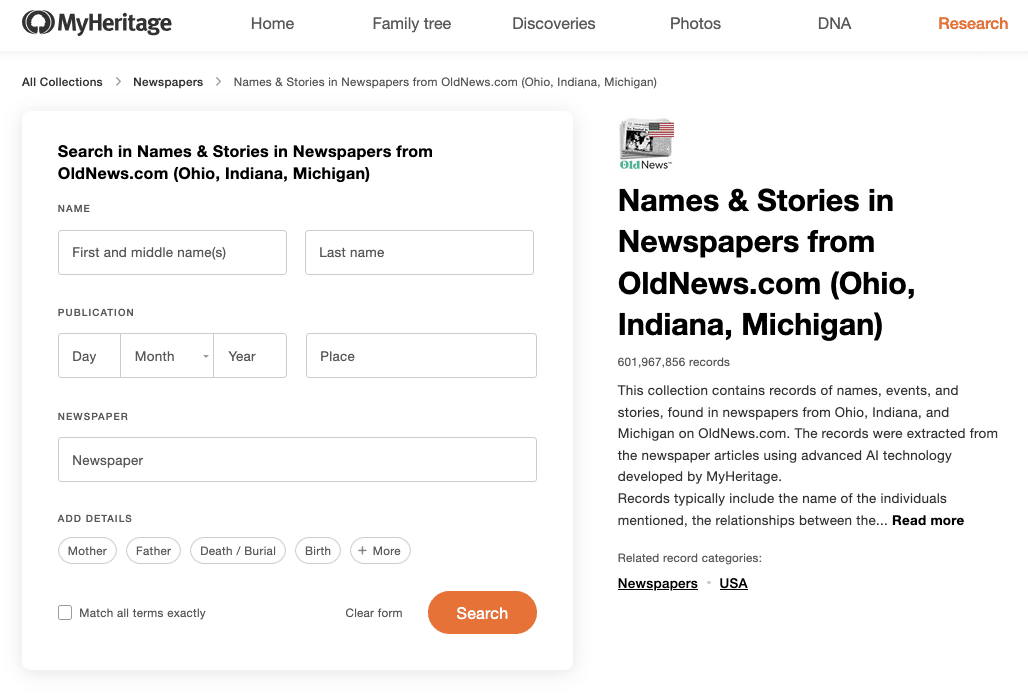
Enter your search terms on the collection page. The form has fields for first and last names, date and place of publication, and the name of the newspaper (if you know it). As in other collections at MyHeritage, you can request the algorithm match all terms exactly.
You can also add names of relatives, birth or death dates and places, or places of residence. Note that few types of newspaper articles would include all such details, so be selective. You don’t want to exclude relevant results simply because it didn’t mention a person’s spouse, for example.
2. Review indexes and revise search terms
Once you click Search, MyHeritage serves up articles that match your criteria. A preview gives the name as extracted from the article, plus the name and date of the newspaper issue. You’ll also see a snippet of the surrounding text (giving you a sense for context) and a thumbnail of the original newspaper page.
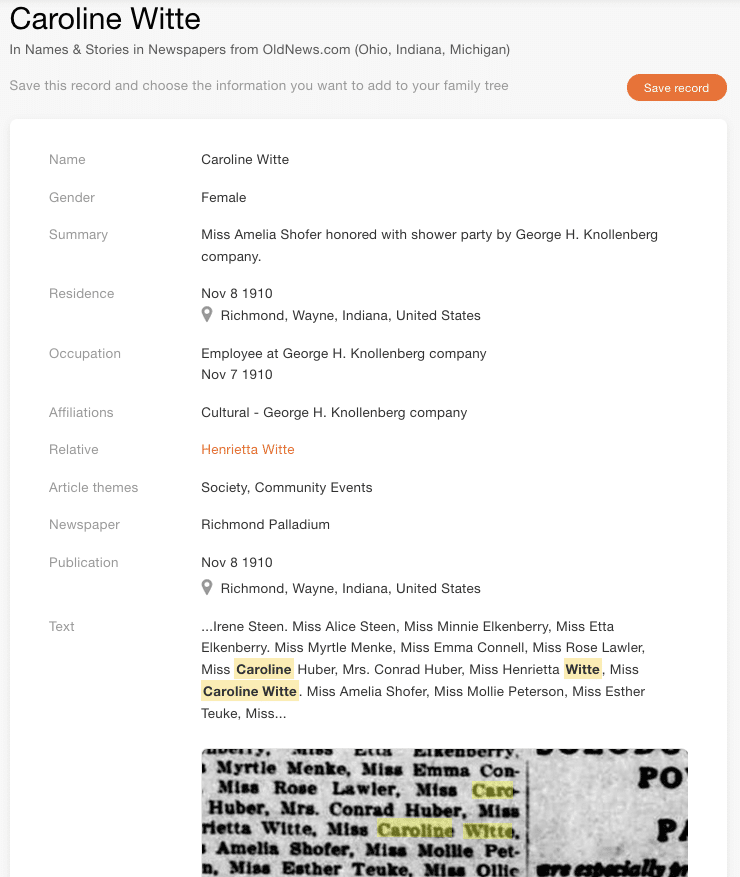
Click View to see the information in more detail. In addition to the data mentioned in the summary, you’ll also see gender and a larger preview of the newspaper page. Pay attention to the Article Themes field. This gives you a sense of in what capacity a name appears. Was it in a gossip column? A local news report? A marriage announcement?
If (just from the index) you feel confident the article is a match for someone in your family tree, click Save Record. MyHeritage will suggest similar profiles, or you can manually select a person to attach the record to.
If the entry isn’t a good fit for your ancestor, head back to the results page. Review another entry or try a different search—use the fields at top. As elsewhere on MyHeritage you can’t really “filter” your results by decade or state; instead, you can add, delete or revise search terms.
3. View the full newspaper page at OldNews
Click the image to go to the corresponding page on OldNews. (Remember: You’ll need a subscription to do so.) You’ll be taken to a record viewer page on OldNews, with the screen zoomed in to corresponding text.

Zoom out to see the wider newspaper page, which you can download or print. Unlike at Newspapers.com, you can’t “clip” just your article of interest or download only parts of the page as of this writing. To do so, you’ll need to download the full page and crop the JPG on your desktop, or use a screenshotting tool to capture part of your screen.
The tabs at right allow you to toggle between Record Details (the extracted name, plus any information associated with the subject) and Full Page Text (the direct transcription of the page). You can copy and paste either, allowing you to (for example) translate foreign-language text.
Search Tips
If you’re having trouble finding family members in the OldNews indexes, try the following:
- Review what titles OldNews has: You can add publication place as a field when searching a collection. But otherwise, MyHeritage doesn’t offer a way to view only newspapers from a certain city or even a certain state. Hop over to OldNews and browse newspapers by location. There, you can drill down to specific localities and see what papers are available—and for what years.
- Broaden your search places. Some stories were published in publications from multiple places, particularly if those involved had family members in that area. Even if OldNews doesn’t have a newspaper from your place or time of interest, search for titles in neighboring states and the communities associated with your ancestor.
- Search for women by both maiden and married names: Keep in mind which she would have gone by in the time period you’re researching.
Related Reads



A version of this article was posted online in August 2025. Last updated: January 2026.