
When you start exploring the MyHeritage website for the first time, you may be taken aback by all its tools and features. You want to try them all at once but perhaps don’t know where to begin. Additionally, like many genealogists seeking answers to burning family history questions, there is one roadblock you may fear more than a genealogical brick wall: a pay wall.
Fortunately, while many MyHeritage features require a subscription to access (at least fully), there are several that you can enjoy with a basic free account. You can also take advantage of the 14-day trial to try out all the features unrestricted to see if they meet your needs.
Here are some free MyHeritage features you can use right now.
 MyHeritage
Search Billions of Historical Records
Start with a name.
1. Build Your Family Tree
Creating your family tree on MyHeritage is a fairly straightforward process. Your tree begins with you. In addition to your name and surname, you will also enter your birth date and birthplace. You will continue the same process for your parents, then your grandparents and so on. You can add up to 250 people to your family tree for free.
Already have a family tree that you have been working hard on and wish to grow? No problem. You can easily import your existing family tree onto MyHeritage. Under the Family tree tab on the website, find “Import GEDCOM.” Then, simply hit the Upload button and select the GEDCOM you wish to import.
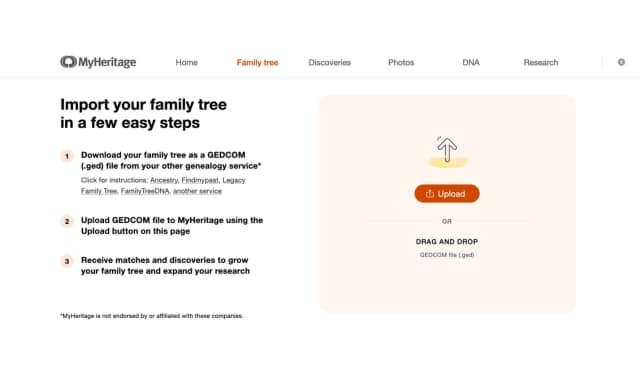
You don’t have to keep your family tree insular either. Make your family tree public so that other users can view it and connect with you. You can even invite family members to join in on the project and add any valuable information they may have.
2. Upload Family Photos and Videos and Use Special Editing Features
When you create a basic account with MyHeritage, you get 500MB to use as you please. You can use this space to store treasured photos like that elegant snapshot of Mom in her favorite Sunday dress. You can then add that photo to your tree to make it more personal.
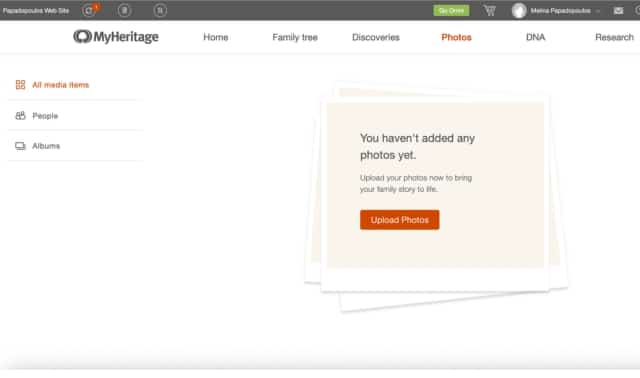
To upload photos, find the “Photos” tab on the menu, hover over it and select My Photos. Select Upload Photos. You will then be given the option to select files from your device or instantly drag and drop photos or import media from Google Photos.

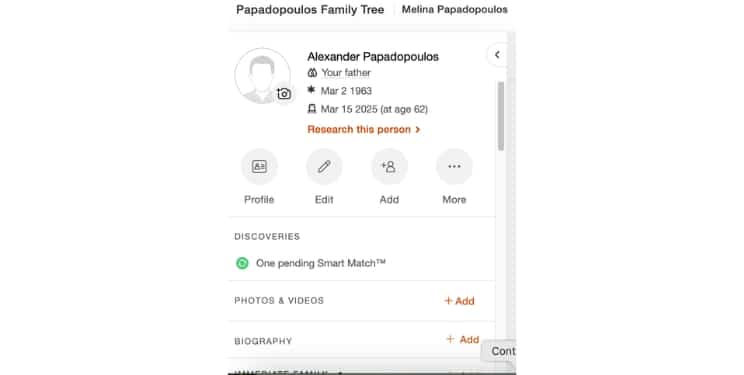
You can also add photos and videos directly from your family tree. To do so, hover over the “Family Tree” tab and select “My Family Tree.” From there, click on the person for whom you would like to contribute a photo. A box will appear (pictured below) with several options, including Photos and Videos. Select +Add to upload your media.
Once you have uploaded your photos, you can take advantage of some of MyHeritage’s photo-editing features. For example, MyHeritage in Color does exactly as its name suggests: It colorizes black-and-white photos and even brings out the brilliance of old faded colored photos.
On the other hand, maybe you like the elegance of those black-and-white photos and just want to cut through the blur so that you can better see a relative’s smile or beautiful flowing dress. The MyHeritage Photo Enhancer can take care of that for you. You can use both features for free on up to 10 photos. Learn more here.
3. Download the free Family Tree Builder
If your family tree complex, sprawling, and always seems to sprout new branches, you may wish that you had somewhere else to keep it so that you know it is always safe and easy to access when you need it. This is where MyHeritage’s Family Tree Builder can come into play.
This software is completely free to download. If you have already built a tree on the MyHeritage website, you can easily transfer it to Family Tree Builder shortly after downloading the program. Its syncing capabilities allow you to save your work instantly. You can even save any changes you make on smartphone via MyHeritage’s free mobile app, which can be especially handy if you’re working on your tree with Grandma at a family get-together and don’t have access to your own computer.
You can download Family Tree Builder directly from MyHeritage. Unfortunately, it is not currently available to Mac users. By the way, speaking of free mobile apps…
4. Download the MyHeritage Mobile App
No genealogist has to stay bound to a desk, poring over old documents under a dim desk light. At times, you may make your most remarkable discoveries when you are visiting relatives, exploring a genealogically rich vacation spot or just strolling through the park awaiting meaningful epiphanies.
In such cases, you don’t wait to wait until you return to your workspace to input your findings. With the MyHeritage app, you can update your family tree, upload photos and conduct illuminating research all from the comfort of your smartphone. You can download the app directly from the Apple App Store or the Google Play Store.
5. Research Free Genealogy Records
MyHeritage boasts many rich genealogical records and record collections, including everything from census indexes and voters lists to newspapers and books. To start searching, just look for the Research menu at the top right, hover and click All Records.
Now, here’s some bad news: You will need a Data, Complete or Omni subscription to access most of MyHeritage’s resources. But searching for them is completely free. If your query yields any results, you will be able to view some limited information that may help you locate the person or document you are seeking elsewhere. For example, if you are searching newspapers, your search may reveal a small image of the publication and the year in which it was published.
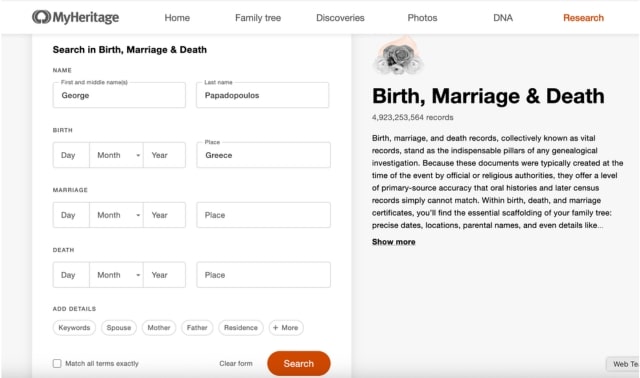
Let’s say we were looking for one George Papadopoulos in Birth, Marriage & Death. The search form looks like this:
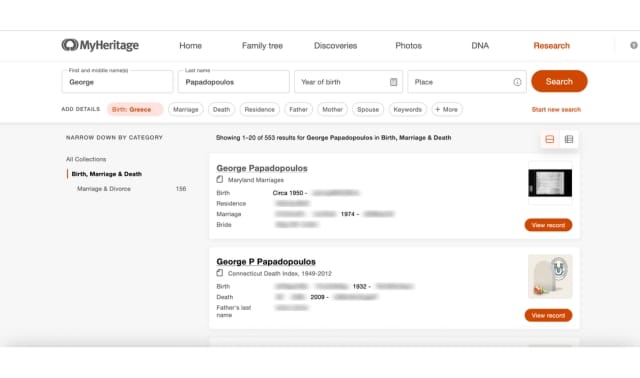
Hit search, and you’ll find 553 search results. Clicking on one of them without a subscription will just lead to a page prompting you to make the purchase. We do have a few pieces of data just by looking at the first result: a birth recorded “circa, 1950” and a marriage in 1874. Sure, it may not be much to work with, at least on its own. But these details may be worth jotting down and storing away as you continue your research.
Even better news: there are several collections that you can search and access for free. Some notable free collections include:
- 1851 Scotland Census Extract
- 1950 United States Federal Census
- Auschwitz Death Certificates, 1941–1943
- Online Familieberichten (Dutch Death Notices)
- Piotrków Trybunalski, Poland Births, 1808–1875
- Revolutionary War Pension Records
- Scotland, Selected Births & Baptisms, 1640–1860
- Service Records of Confederate Soldiers (Civil War)
- U.S. Social Security Death Index.
6. Review Your Smart Matches
Its matching capabilities are arguably one of MyHeritage’s most valuable features. In MyHeritage terms, this nifty feature is called Smart Matching, and it is free and automatic.
So, how does Smart Matching work? The moment you put your tree on MyHeritage, Smart Matching gets to work comparing your tree to the countless others housed on the website. It then identifies any matching names, taking into account any subtle differences in spelling. Smart Matching can also identify names that show up in specific key records (i.e., census, marriage and divorce records, etc).
To access your matches, look to the Discoveries tab. You can sort matches by people or by records. If you have any matches, they will show up as is seen below. You can also sort matches by Pending, New, Confirmed or Rejected.

7. Behold the Wonders of Deep Nostalgia
Maybe you always admired that wistful glint in Grandma’s eyes and wondered what those eyes looked like moments before she smiled for the camera. Maybe you always wanted to see Grandpa beyond his wry grin. Thanks to a unique tool licensed by MyHeritage and developed by D-ID, you might just get your wish. Deep Nostalgia uses a type of AI called deep learning to bring those old photos to life.
But maybe you want more than just a little life breathed into those old photos. Maybe you also want to hear retold the story behind that snowy Christmas morning, and you want to hear it from Great Grandma herself. MyHeritage also offers DeepStory, a tool that transforms those still portraits into dynamic videos that make it sound as though your ancestors are speaking directly to you. You can even choose from over 30 different languages and 140 voices. Add extra personal details to make your ancestors’ stories seem even fuller and more authentic.
You can test out Deep Nostalgia and Deep Story on a few of your favorite photos for free. After that, a subscription is required. While these features may not necessarily get you closer to solving any genealogical mysteries, they can help further humanize people you may have heard of only through snatches of family discussion and old, dusty documents!
8. Find DNA Matches
You’ll need to pay for a MyHeritage DNA test kit: $89 for one test, though they’re often on sale. After that, viewing your ethnicity estimates and DNA matches is free.
Prior to 2025, users could upload test results from other services to MyHeritage. That service is no longer active, but exploring your uploaded results on MyHeritage is also free.
9. Explore MyHeritage’s Knowledge Base
Whether you have already taken a deep plunge into your family’s past or are still treading the surface, learning how to navigate a genealogical tool as extensive as MyHeritage can take some time. Fortunately, you don’t have to go at it alone.

Enter MyHeritage’s Knowledge Base. Here, you will find a wealth of resources to help you make the most of MyHeritage and its many tools, including articles, videos and webinars. What’s more, you can even use the search function to find resources on a specific topic.
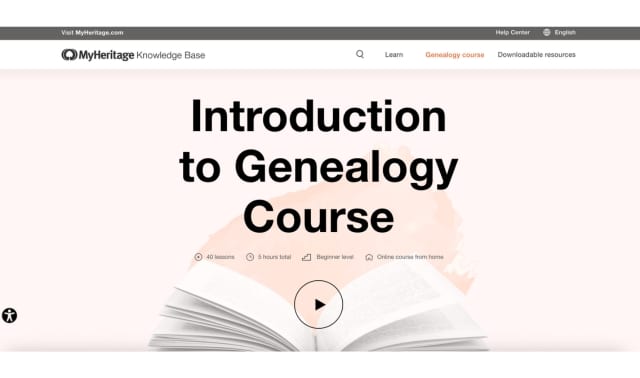
Not sure where to begin? The Knowledge Base offers a page with curated content that covers everything you need to know about using MyHeritage to create and expand upon your family tree,conduct thorough research and understand your DNA test results. There’s even a free course to take, one that will catch you up on the basics of genealogy. The course, Introduction to Genealogy, contains 40 lessons and will take about five hours.
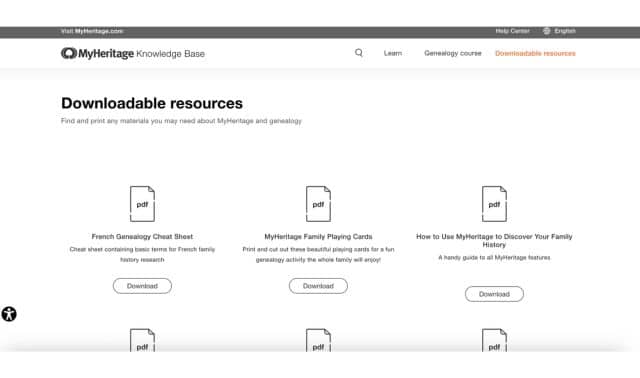
Finally, you can find many free downloads within the MyHeritage knowledge base. Examples include a French genealogy cheat sheet, a female ancestors guides, and even one-of-a-kind MyHeritage playing cards.
10. Find MyHeritage Videos on YouTube
Whether you have browsed the Knowledge Base and are looking for more content or just have a soft spot for informative genealogy video content, you can watch MyHeritage’s videos for free on YouTube.

On YouTube, the MyHeritage team posts frequent content on its many features, from startling new glimpses into what Deep Nostalgia in capable of to valuable information on DNA. You can also find coverage on pressing trends and news in the world of genealogy. Some specific examples of MyHeritage YouTube content include DNA Reviews and a special 20-year anniversary docuseries.
Related Reads


A version of this article was posted online in June 2022. Last updated: August 2026